What we would build for a wedding planner
The date is reserved the moment the deposit clears
Couples in the UK plan a wedding in Türkiye on their phones, late at night, months ahead. We build you a system where they can see your availability, pay a deposit by Apple Pay or card, and then follow every decision in a private portal, while your team runs the day from a native iPhone app.
Built and delivered remotely from Cheshire, UK · fixed price agreed up front
What goes wrong today
'Email us to check the date'
A couple who wants June 2027 sends the same enquiry to four planners. The one who answers with a live calendar and a deposit button gets the booking. The one who answers in two days with a PDF gets a polite no.
Deposits by international transfer
Asking a UK couple to wire euros to a Turkish IBAN loses a share of them at the bank's fraud warning. A card payment on your own site, in pounds, with an instant receipt, is what they expect from every other purchase in their life.
The plan lives in forty WhatsApp threads
Menu choices, the florist's quote, the DJ's set times, the bus from the hotel: each decision is somewhere in a chat with the bride, the groom, her mother and your coordinator. When the venue asks a question, nobody is sure which version is current.
Guests arriving at the wrong gate
Eighty guests, half of them in Türkiye for the first time, following a screenshot of a map. A pinned location, a transfer time and a reminder on each guest's phone is the difference between a ceremony that starts on time and one that doesn't.
What we build for you, from the ground up
Live date availability and deposit
Your calendar, in your brand, showing which dates are open, which are on hold and which are gone. A couple picks a date, sees the package price, and pays the deposit by Apple Pay or card. The date is held while they pay and locked the second the payment clears.
Packages that price themselves
Guest count, ceremony type, meal, bar, DJ, photographer, transfers: every choice adjusts a live price from rate cards you control in your admin. The quote becomes a versioned document the couple approves, so 'but you said' never happens.
The couple's private portal
One sign-in for the couple: the running order, every supplier and their status, payments made and due with stage-by-stage instalments, documents to sign, and a decisions list with dates. Their parents can be given read-only access.
Guest list and RSVPs
The couple shares one link; guests confirm, choose their meal and note allergies, and say which transfer they need. Numbers update live for you, the venue and the caterer, in one place.
Supplier scheduling on the day
Florist, hair and make-up, photographer, DJ, transfers and the venue each get a timeline entry with a contact and a location. Conflicts show before the day, not during it.
WhatsApp and email that go out on their own
Deposit received, instalment due, RSVP deadline approaching, final numbers confirmed, transfer times: each message is written once in your voice and sent by the system at the right moment, in English or Turkish depending on who is reading.
Your team's iPhone app
Coordinators see the day's timeline, the guest list with meal choices, supplier phone numbers and a checklist, offline if the signal drops at the venue. A change made on the phone updates the portal.
Invoices, instalments and expenses
Every wedding is a project with income by instalment and costs by supplier. Margin per wedding, what's owed and what's set aside, in one screen you can actually read.
The Apple layer your guests actually notice
Live Activity: the countdown to the day
From booking to the ceremony, the couple's lock screen counts down. In the final week it shows the next task; on the day it shows the running order as it happens. Your team's lock screen shows the same timeline from the other side.
Invitations in Apple Wallet
Each guest gets a pass in the couple's design: names, date, venue, dress code, transfer time and a QR code for the door. It updates itself if the ceremony time changes, and appears on the lock screen as guests approach the venue.
Venue in Apple Maps, reminders that add themselves
One tap to directions from the guest's hotel. The transfer pick-up goes into their calendar with an alert. The couple's instalment dates and decision deadlines add themselves as reminders.
App Clip QR for guests on the day
A QR on the table opens an App Clip with no download: the photo wall, the song request list, the transfer times home, and a tip for the band with Apple Pay.
Widgets for you, Dynamic Island for the day
A widget on your home screen with the next three weddings, unpaid instalments and unanswered RSVPs. On the day, the Dynamic Island shows the next timeline item while you handle the current one.
Payments in Türkiye, done properly
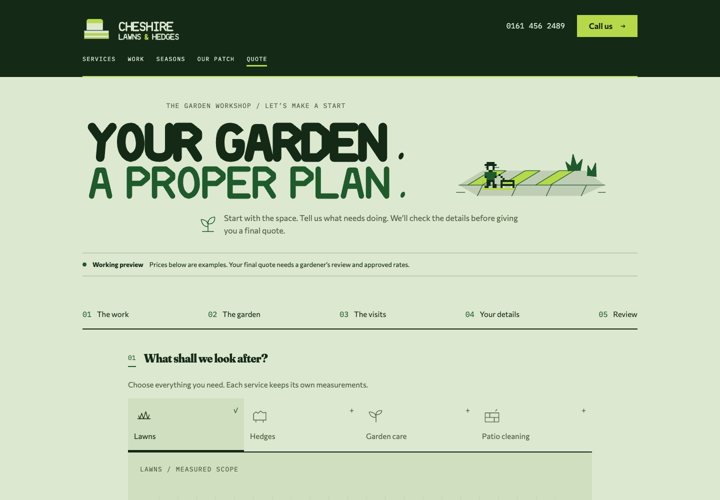
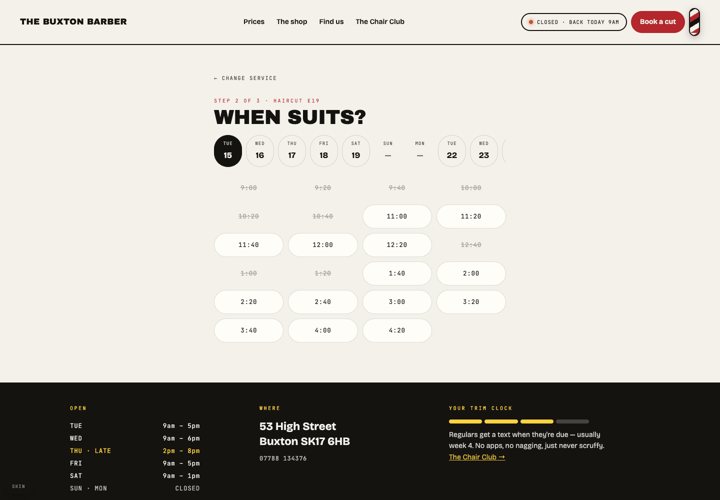
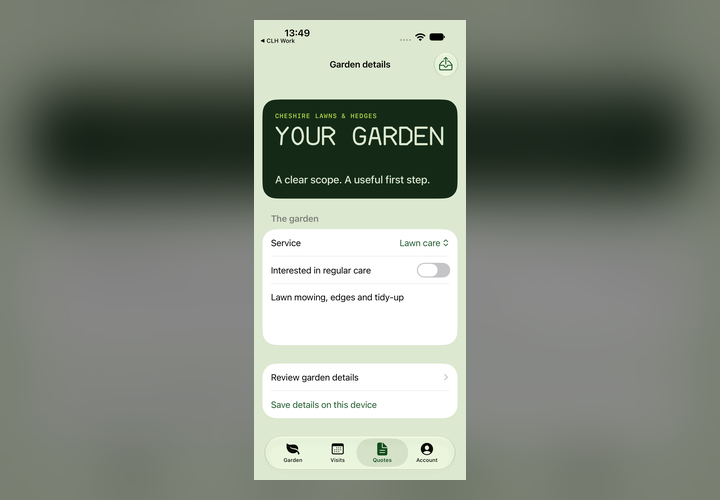
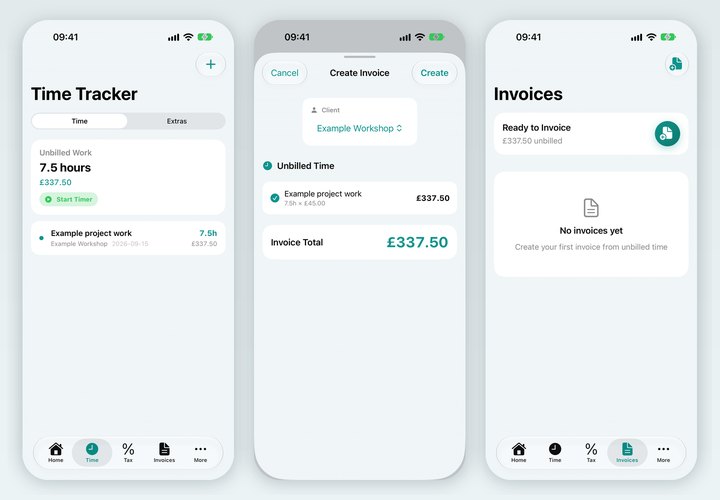
Built and running: the examples this comes from
Questions we get asked
Our couples are mostly British. Does it work in pounds?
Yes. Prices are shown in pounds or euros to the couple and settled in lira to your account through your own payment provider. Every page, message and pass is bilingual.
Can we still take enquiries the old way?
Of course. A WhatsApp or email enquiry becomes a hold in your calendar with one tap in the app, and the couple gets a link to pay the deposit. The system doesn't change how you talk to people; it removes the admin behind the conversation.
What about weddings at a villa that is also let to holidaymakers?
The calendar can pull the villa's rental blocks from Airbnb or the owner's iCal feed, so a wedding date and a rental week can never clash again.
How is this priced?
Fixed price agreed up front for the first release, based on what you want live for the next season. You own the code and the data; no monthly licence to us and no commission on bookings.
Do you work with planners outside Türkiye?
Yes, in the UK too. Everything is delivered remotely with video calls; the payment provider changes to match the country.
Show us how a couple books with you today
Send us your enquiry process and a typical package. We'll reply with a written plan for the calendar, the deposit, the portal and the day-of app, then walk through it on a video call.