WE BUILT A JUKEBOX FOR OURSELVES. IT GOT OUT OF HAND.
Twenty-three visualizers ride whatever is playing, on the bottom half of your cabinet screen. Radio, AirPlay 2, Bluetooth, Spotify, YouTube, and MP3s off your own USB stick. One EQ, one joystick. And a free app for the nights you would rather not get up: the iPhone one is in beta now, Android is coming. £99 once, on a new SD card in the post.
PRESS INSERT COIN FOR SOUND SCROLL FOR THE REST
LIVE ON THIS PAGE The visualizer on this page is running in your browser, driven by a groove this page plays itself. Put a coin in, press P1 START and it wakes up. Nothing here moves to music it cannot hear.
WHAT YOU GET
WHAT YOUR CABINET CAN PLAY NOW.

187 RADIO STATIONS

SPOTIFY
YOUTUBE

10-BAND EQ

USB MP3S

THE VISUALIZER
BOOGIE
THE APP
THE VISUALIZER
TWENTY-THREE WAYS TO WATCH A SONG.
Every mode is drawn from the music, not on a timer: a 40-band spectrum, kick, snare and hi-hat detection, tempo tracking from 70 to 180 BPM. Kill the sound and the picture goes still.
This is the part a speaker cannot do at all. A HomePod, a Sonos, a smart speaker on a shelf: they stop at the sound, because none of them has a screen you can watch from across the room. Your cabinet has a 24-inch one, and 23 things to draw on it. They are speakers. This is a jukebox.
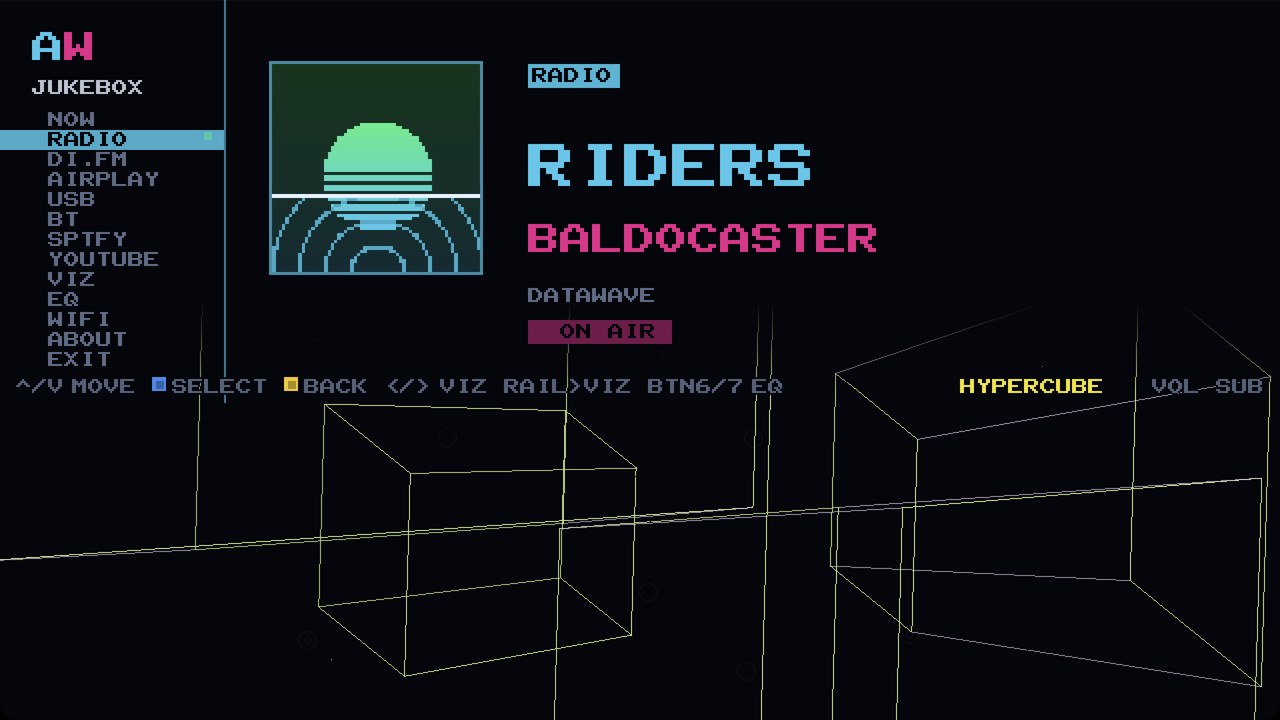





















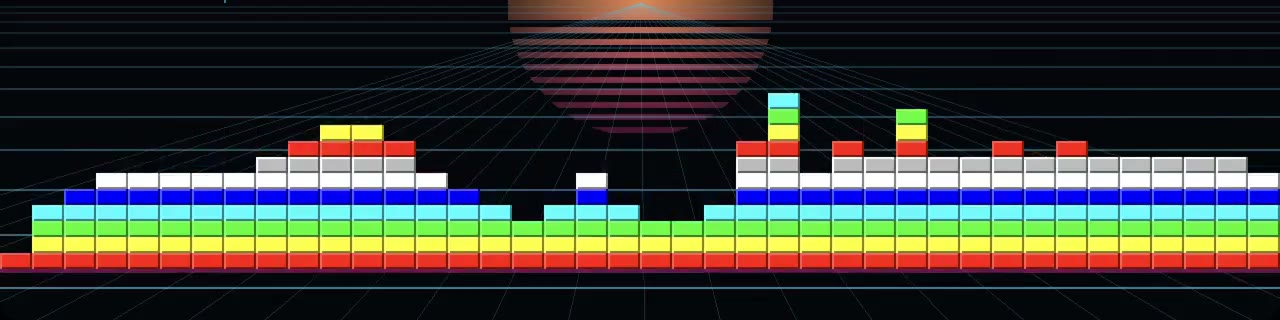

SHUFFLE changes the mode every 8 bars. On-screen: SHUFFLE AUTO-CHANGE EVERY 8 BARS
WHAT THE MODES ARE ACTUALLY DOING
On the cabinet the visualizer owns the bottom half of the screen, on every source, always. The top half stays yours: the station, the sleeve, the search results, the queue. HYPERCUBE alone is 16 vertices and 32 edges taking one quarter-turn per bar, so the shape turns inside out on the downbeat. LIGHTRIG hangs 12 moving-head lights. MAELSTROM drops 18 rings. MERCURY pours 320 nodes of liquid metal. PYRE keeps 384 embers alive. Pick one and leave it, or leave SHUFFLE on and let the machine choose.
Put a coin in and these stop being recordings. Every one of the twenty-three is then drawn live in your browser, on the groove this page is playing, through the same analyser that runs the bars at the top: on a phone as each card comes under your thumb, on a wider screen in the window under the list as your cursor lands on its row. Until the coin, and whenever the music stops, each is a still frame recorded from the jukebox. The caption under the strip tells you which you are looking at: LIVE ON THIS PAGE, or RECORDED FROM THE JUKEBOX.
THE RAIL
EVERY WAY TO PLAY, ON ONE LIST.
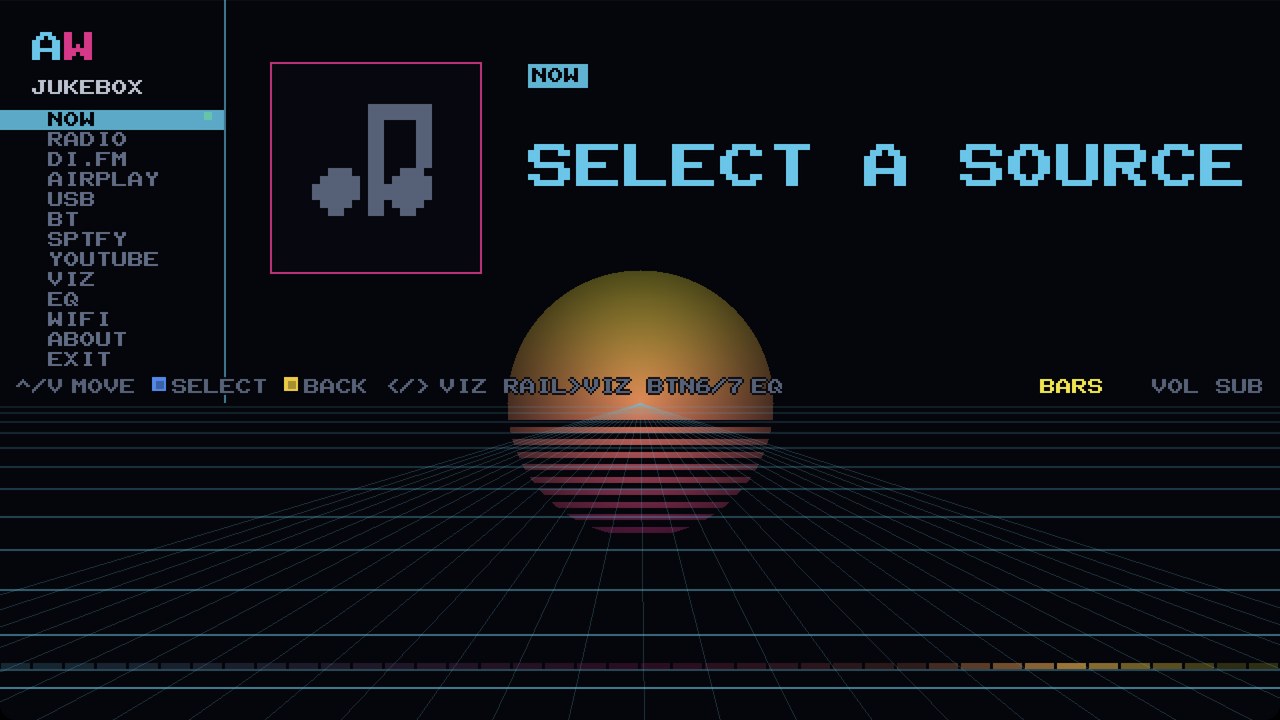
Push the stick down the rail and pick a source: NOW RADIO AIRPLAY USB BT SPTFY YOUTUBE VIZ EQ WIFI ABOUT. Open EQ, VIZ, WIFI or ABOUT while something is playing and the music never stops.
NOW
WHATEVER IS PLAYING, IT LANDS HERE.
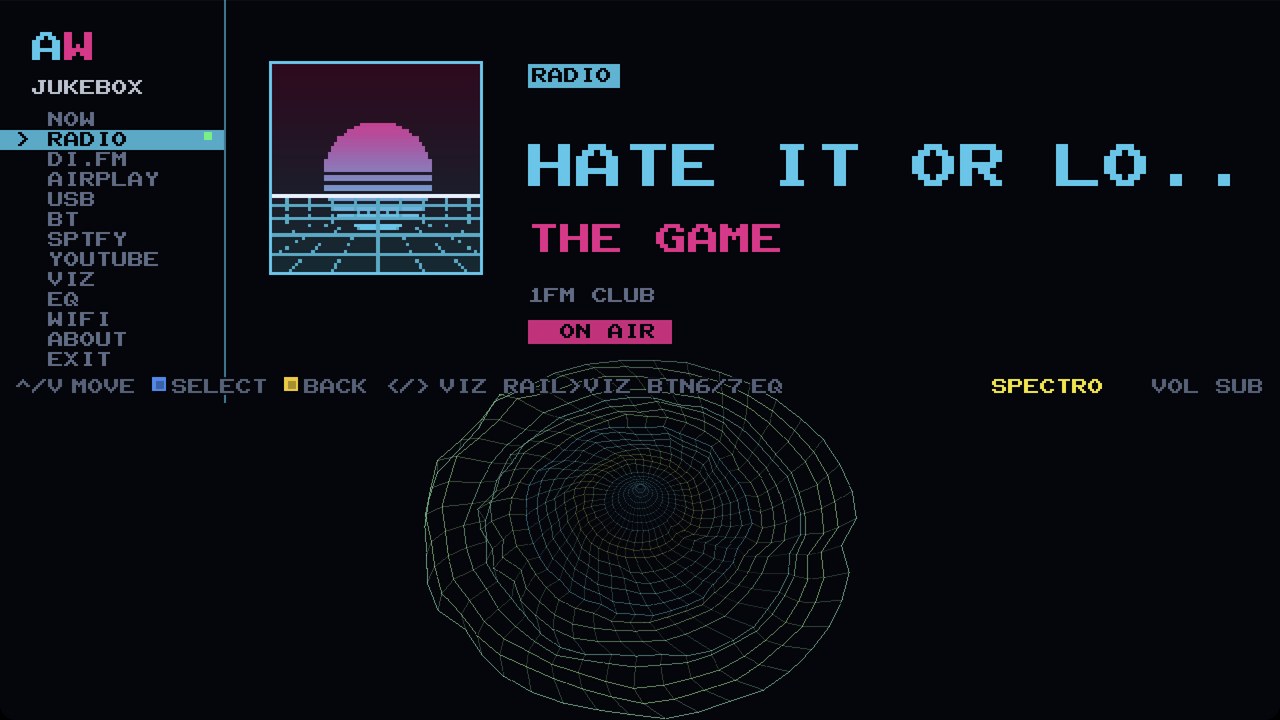
Whatever is playing, it lands here: the title in the biggest type the screen draws, the artist under it, the album under that, and the cover art in its own panel with a cyan ring that blinks while it plays. A scrubber crawls along the bottom of the text where the source sends a position.
This is the screen you leave up with the lights down. It is also the screen a guest walks up to and reads from across the room, which is the point of putting it on a 24-inch cabinet instead of a phone.
RADIO
187 STATIONS. NOTHING TO SIGN IN TO.
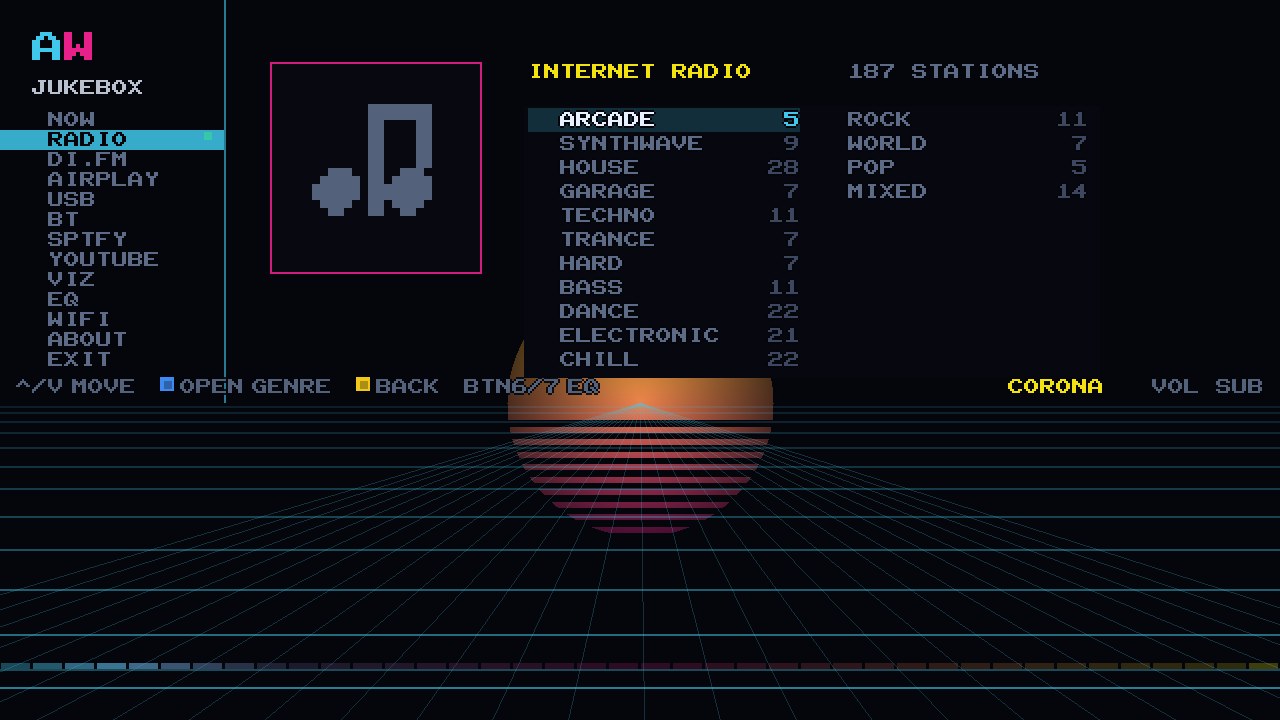
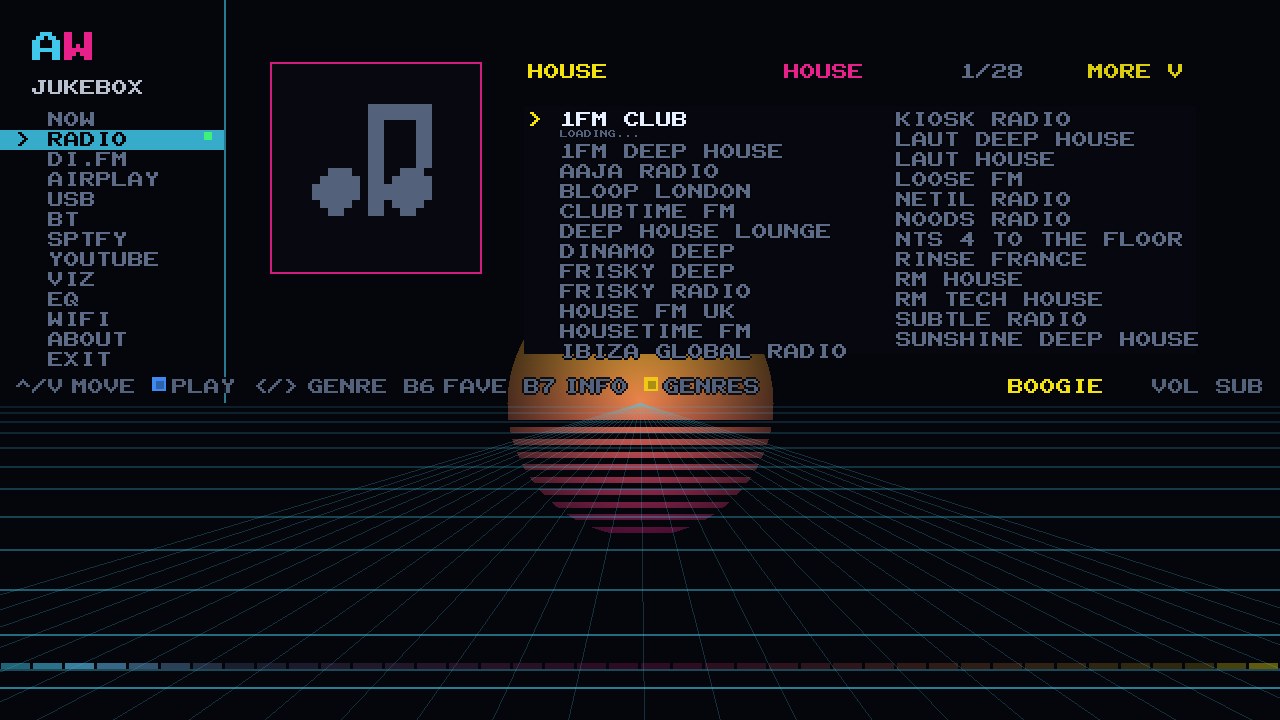
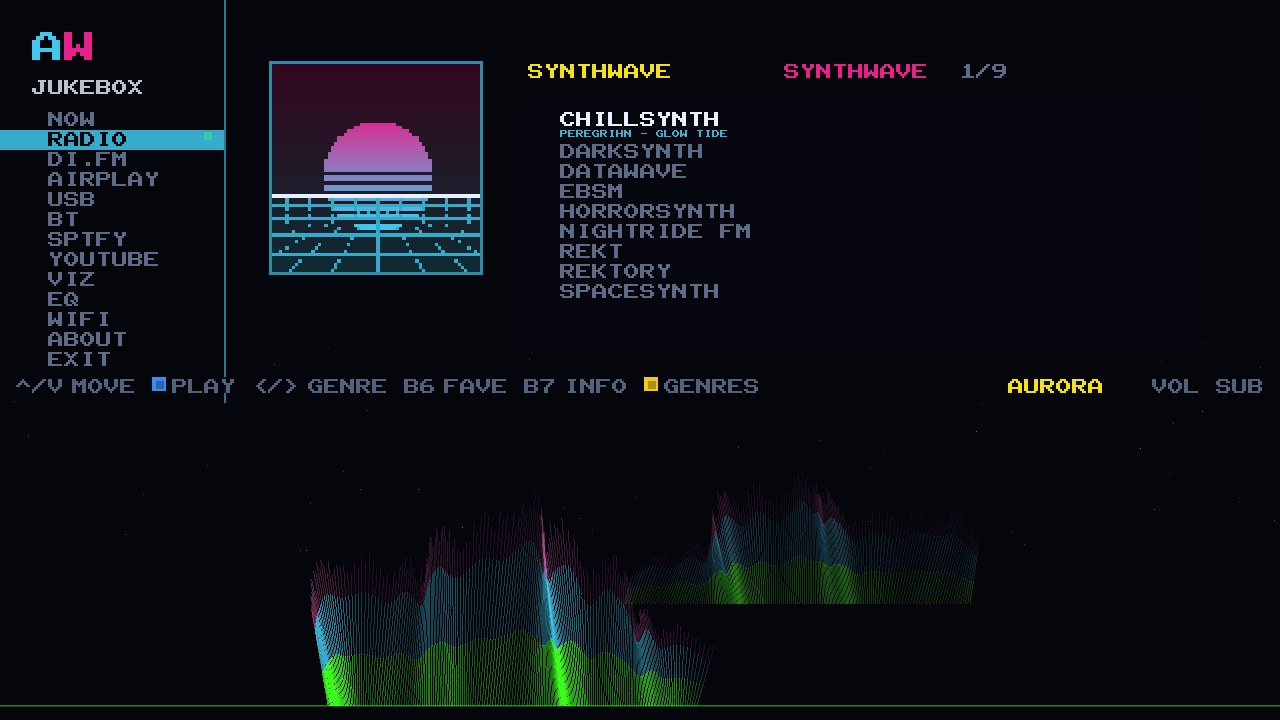
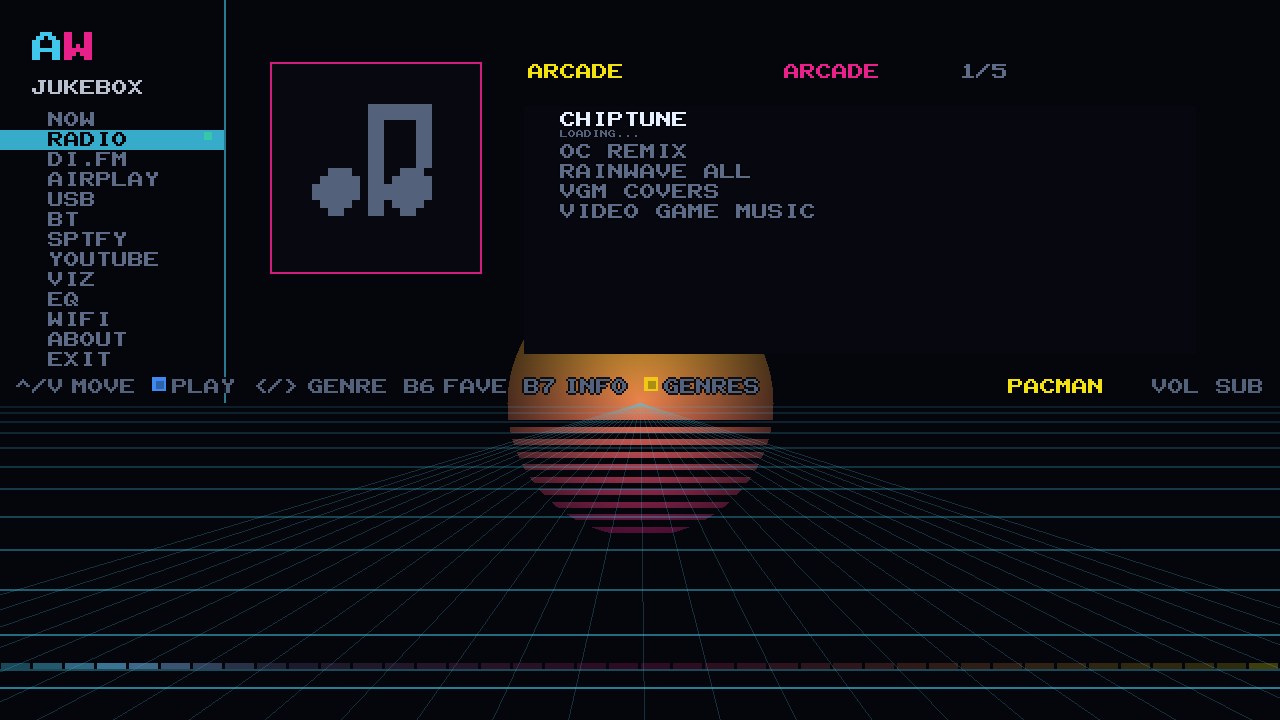
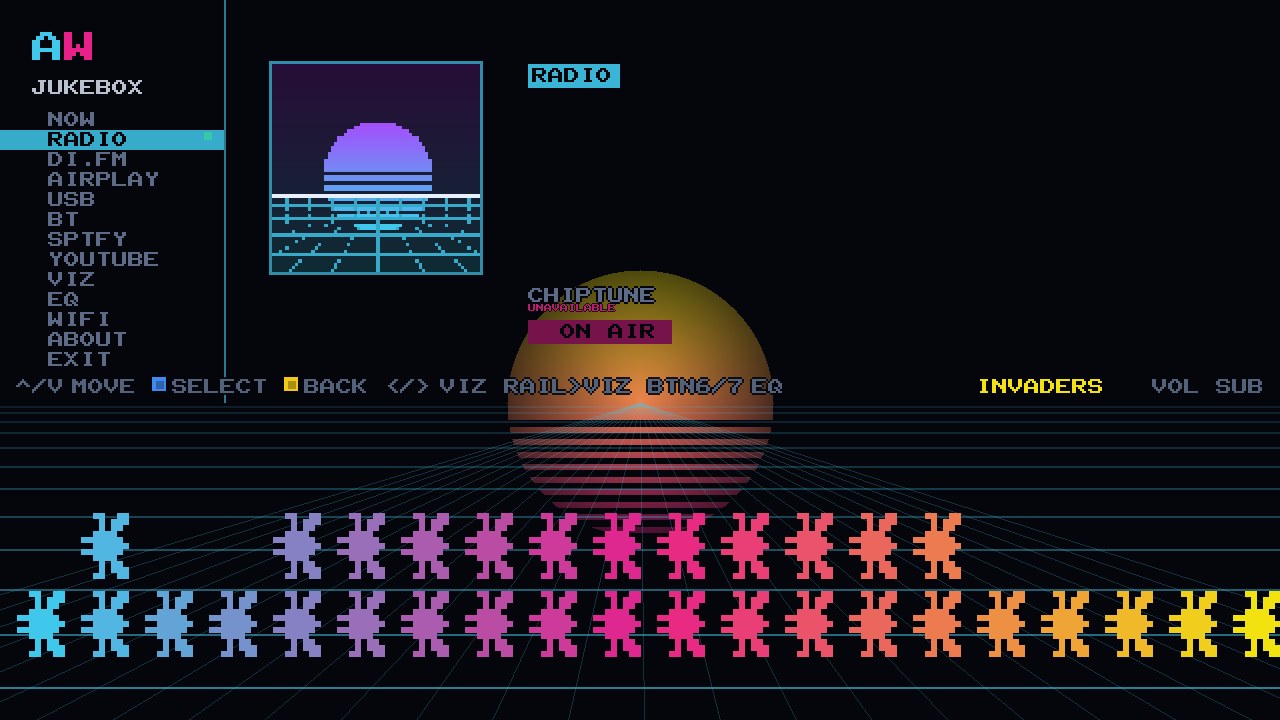
187 internet radio stations in 15 genres. Free, no account, nothing to sign in to. Push the stick down to a genre, press A, and the cabinet is on air.
HOUSE has 28 of them, CHILL and DANCE 22 each, ELECTRONIC 21, MIXED 14, and TECHNO, ROCK and BASS 11 apiece. SYNTHWAVE has 9. And there is an ARCADE group with five video-game stations in it: CHIPTUNE, OC REMIX, RAINWAVE ALL, VGM COVERS and VIDEO GAME MUSIC. Press left and right to hop between genres without leaving the list, and the station on air stays lit while you browse the rest.
Star a station and it goes to the top under FAVES. The station's own now-playing title rolls along under the row as the track changes, and BTN7 opens STATION INFO for the bitrate, the codec and where it is coming from.
Radio is the source that asks nothing of anybody. No phone in anybody's hand, no account, no subscription, nothing to install and nothing to set up beyond the Wi-Fi. It is the one you press when the room goes quiet and nobody wants to be the DJ. Radio needs the cabinet on Wi-Fi. Wi-Fi, not the ethernet port.
AIRPLAY 2
YOUR IPHONE ALREADY KNOWS HOW TO DO THIS.
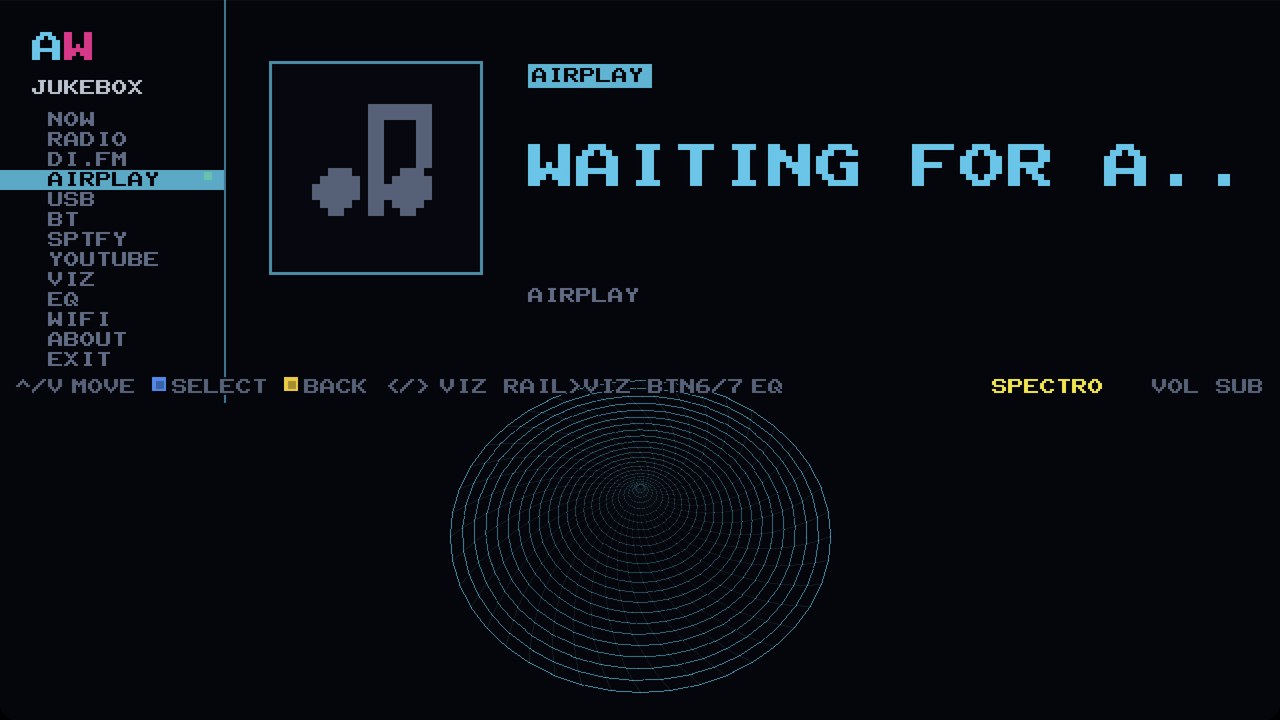
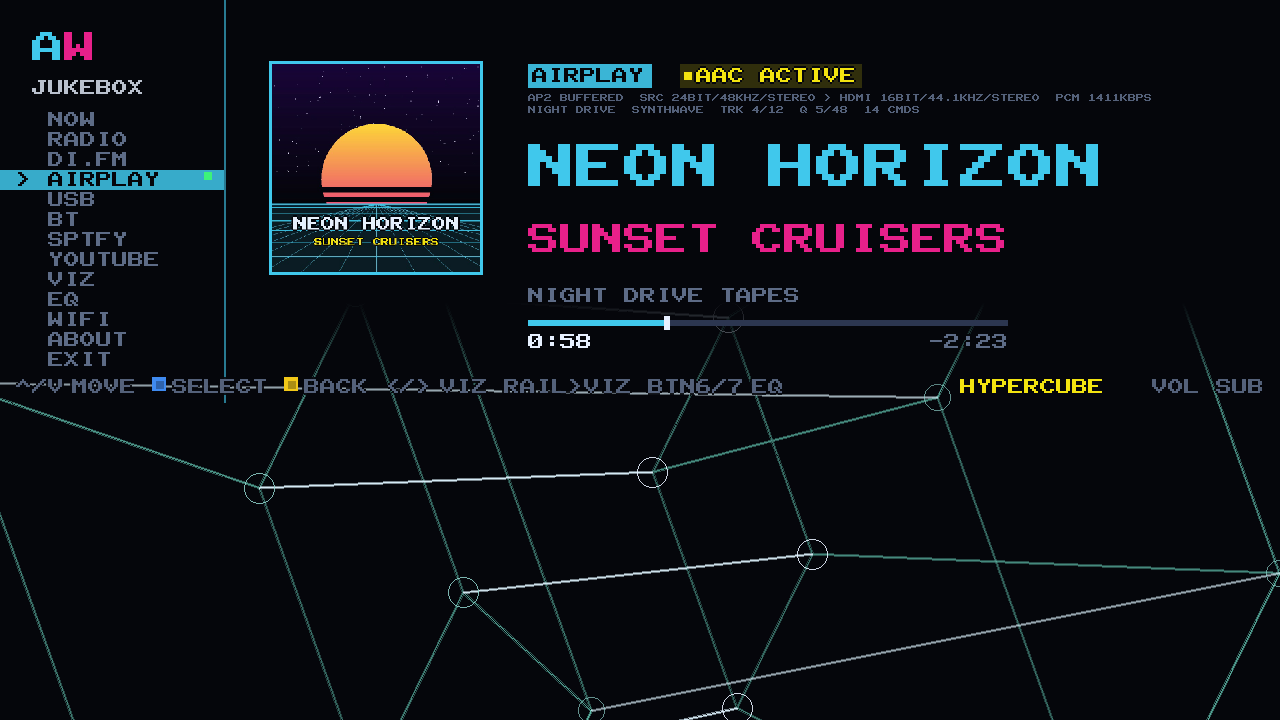
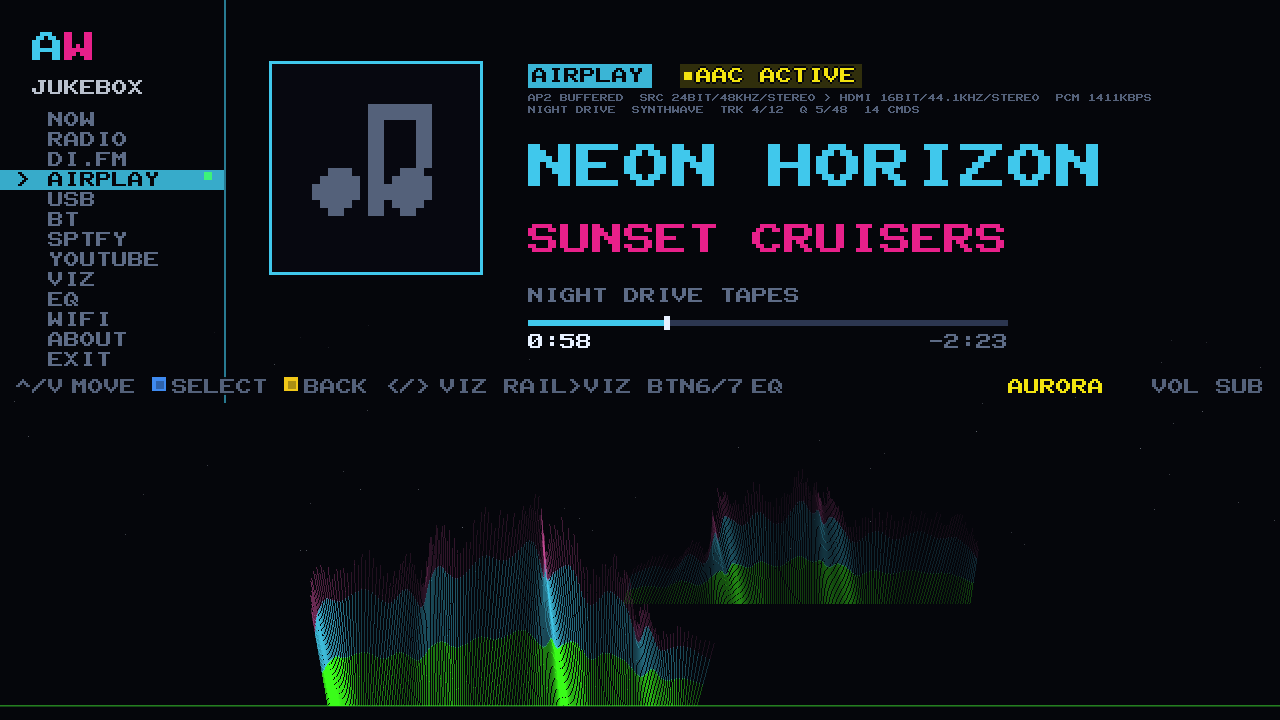
Pick AWOW JUKEBOX in the AirPlay menu and the cabinet plays it. No app, no account, nothing to pair: AirPlay 2 is already in your iPhone, iPad and Mac, and the cabinet turns up in it like any other speaker. Anything you like: your library, a podcast, a mix somebody sent you, the football.
The title, the artist and the album come across with the music and land on the big screen in pixel type you can read from the sofa, the cover art goes up in its own panel, and the scrubber moves as the track does. Your phone's own volume slider works. A HomePod cannot show you any of that, and neither can a Sonos: they are speakers, and a speaker has no screen, so the sleeve stays in your pocket where nobody in the room can see it. Your cabinet has a 24-inch screen, and it is already facing the room.
And it lands in the jukebox, not just in the amp. The 10-band EQ is in the path, so what you send gets FLAT, BASS BOOST, ARCADE, VOCAL or LATE NIGHT the same as every other source, and all 23 visualizers run underneath it on the bottom half of the screen. Send a song from the kitchen and the cabinet in the other room turns into a light show for it. A speaker plays your music. Your cabinet plays it, shows it, and puts a 10-band EQ and 23 visualizers under it, on a 24-inch screen, with a joystick. None of that is a claim about anybody's sound: it is a claim about a screen, and a speaker has not got one.
Along the top the cabinet says what it is actually doing: the AIRPLAY badge, a lamp reading AAC ACTIVE, and a transport line for the people who like to read one, showing what arrived and what is going out to the amp. Apple sends this path as AAC, and the cabinet says so on the screen rather than dressing it up. The lamp is gold, not green, and that is the truth rather than a setting we forgot to change.
AirPlay needs the phone and the cabinet on the same Wi-Fi. That is the only requirement there is.
USB
YOUR STICK. YOUR FOLDERS. NO INTERNET.
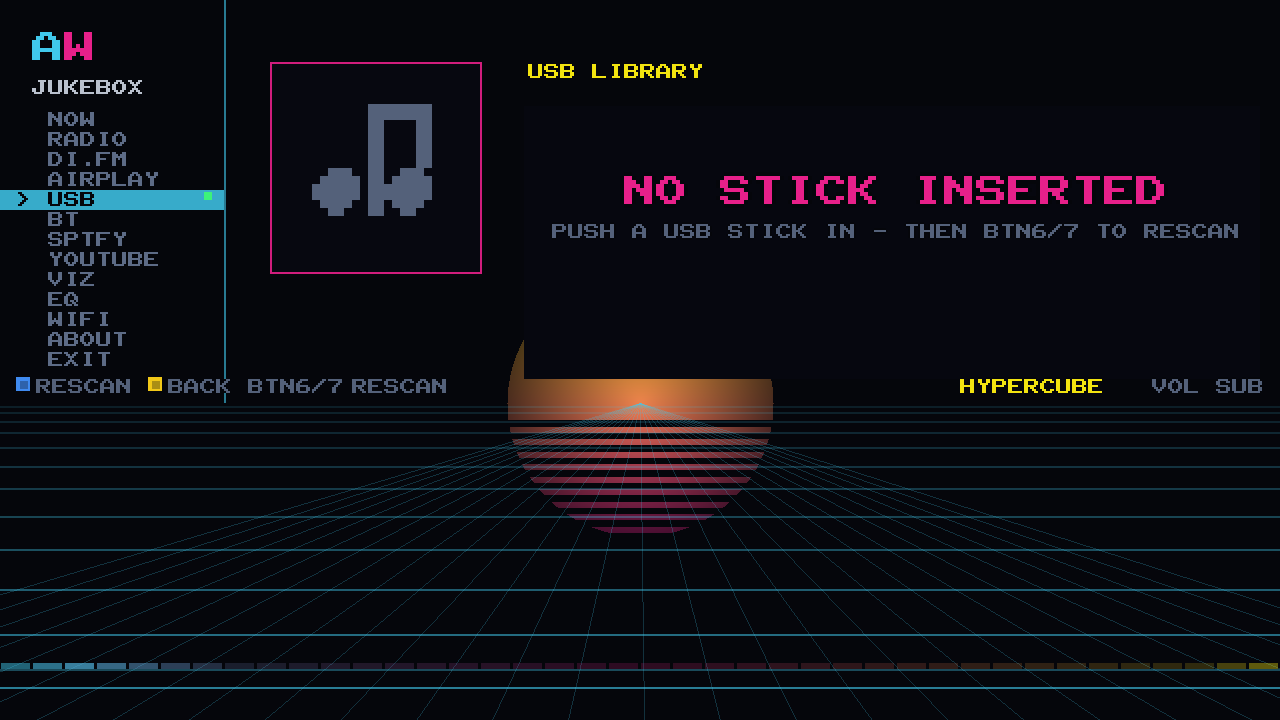
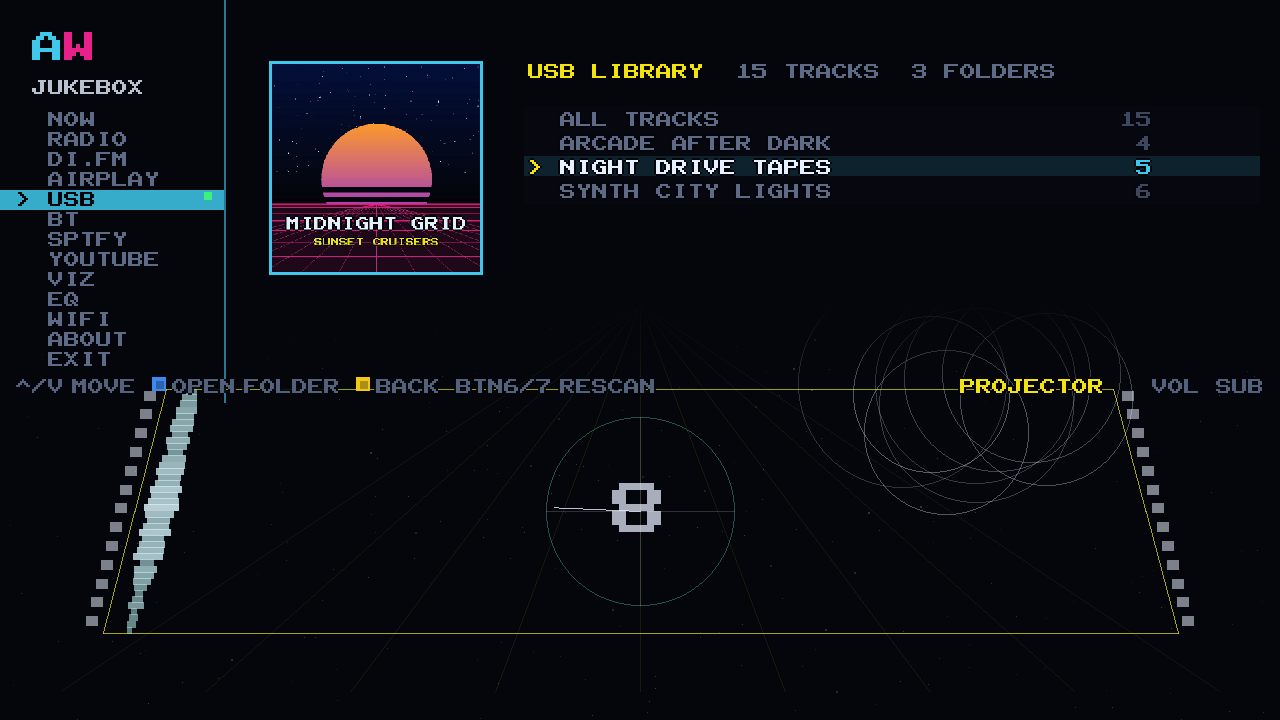
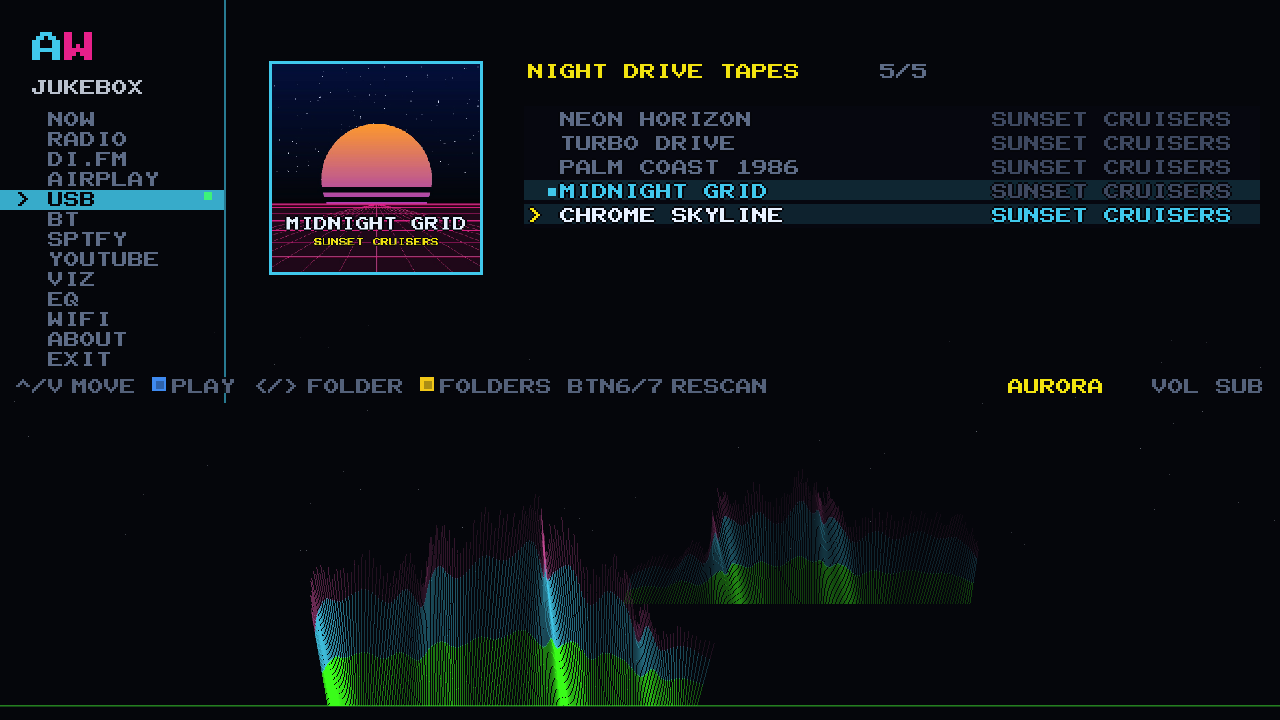
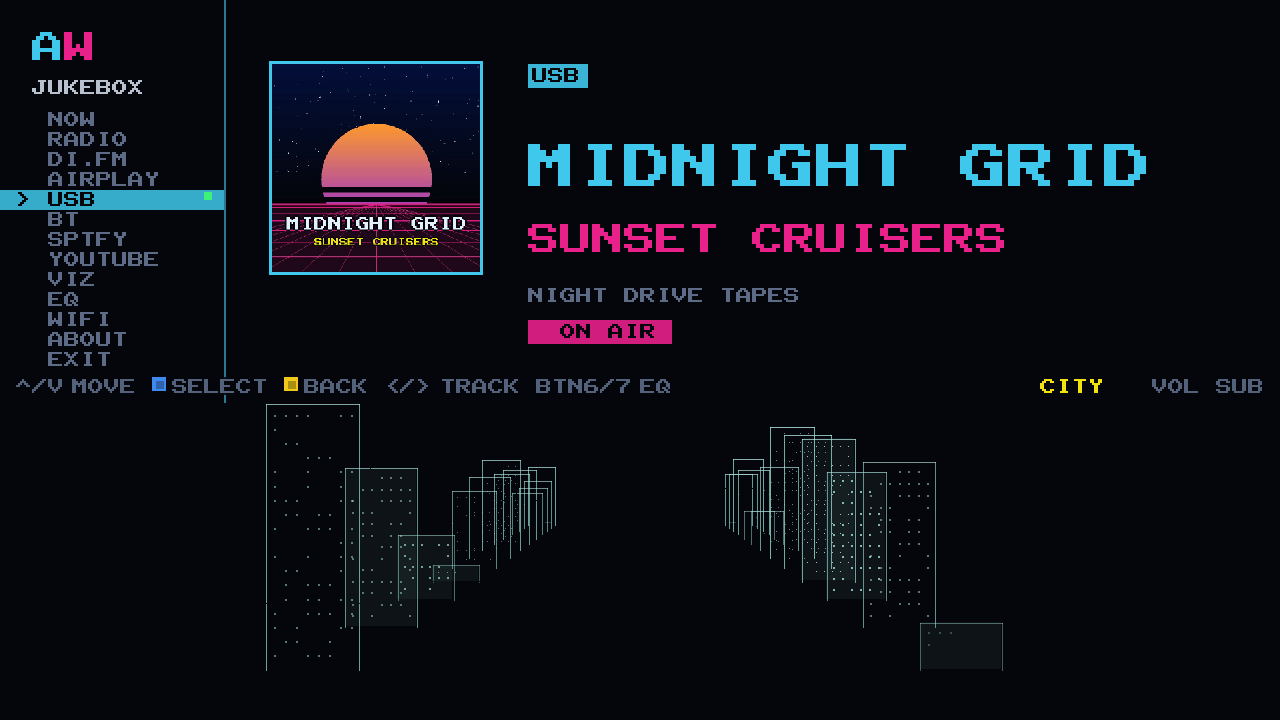
The cabinet has a USB port and it plays MP3s off a stick you put in it. Your stick, your music, your folders. We do not send you one and we do not put anything on one: the port is there for whatever you have already got.
Your folders stay your folders, with an ALL TRACKS row at the top for when you cannot remember which album it was on. The cover comes out of the file's own tags and goes up on the big screen at full size. Track 2 plays before track 10, because the sort is the one a human would use rather than the one a computer defaults to. The browser lists up to 5,000 tracks.
No Wi-Fi, no account, no server, nothing to sign in to and nothing that can be switched off at the other end. MP3 files, and it works when the internet does not.
With nothing in it the cabinet says so, and tells you what to do about it: NO STICK INSERTED, PUSH A USB STICK IN. The port is on the Raspberry Pi inside the machine: open the back with your key and push the stick in. That is what the key is for.
BLUETOOTH
BLUETOOTH FROM ANDROID, AND FROM ANYTHING ELSE.
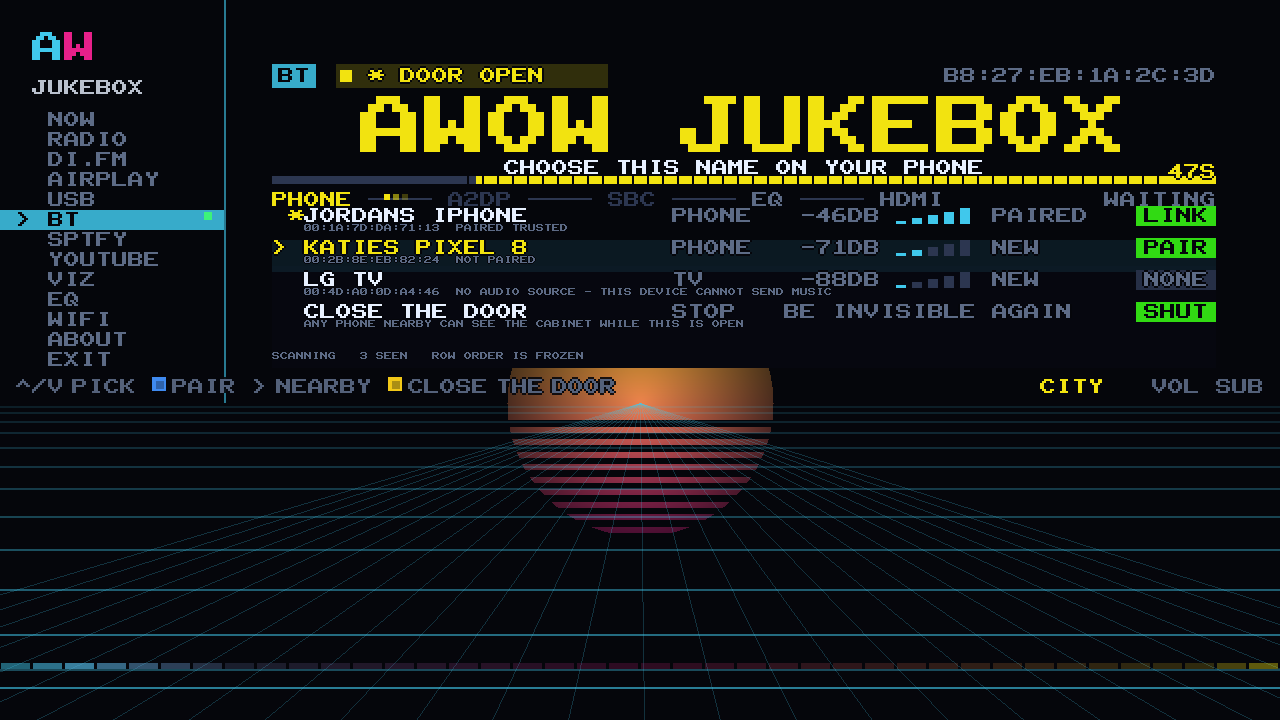
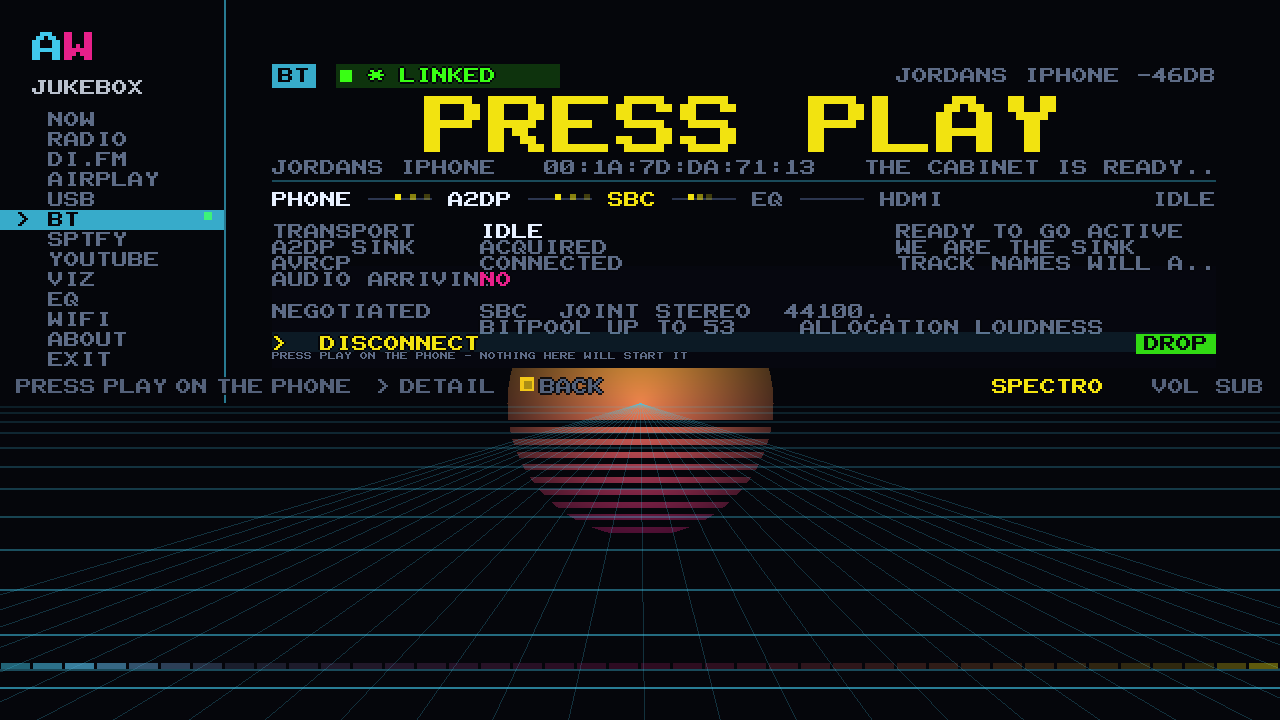
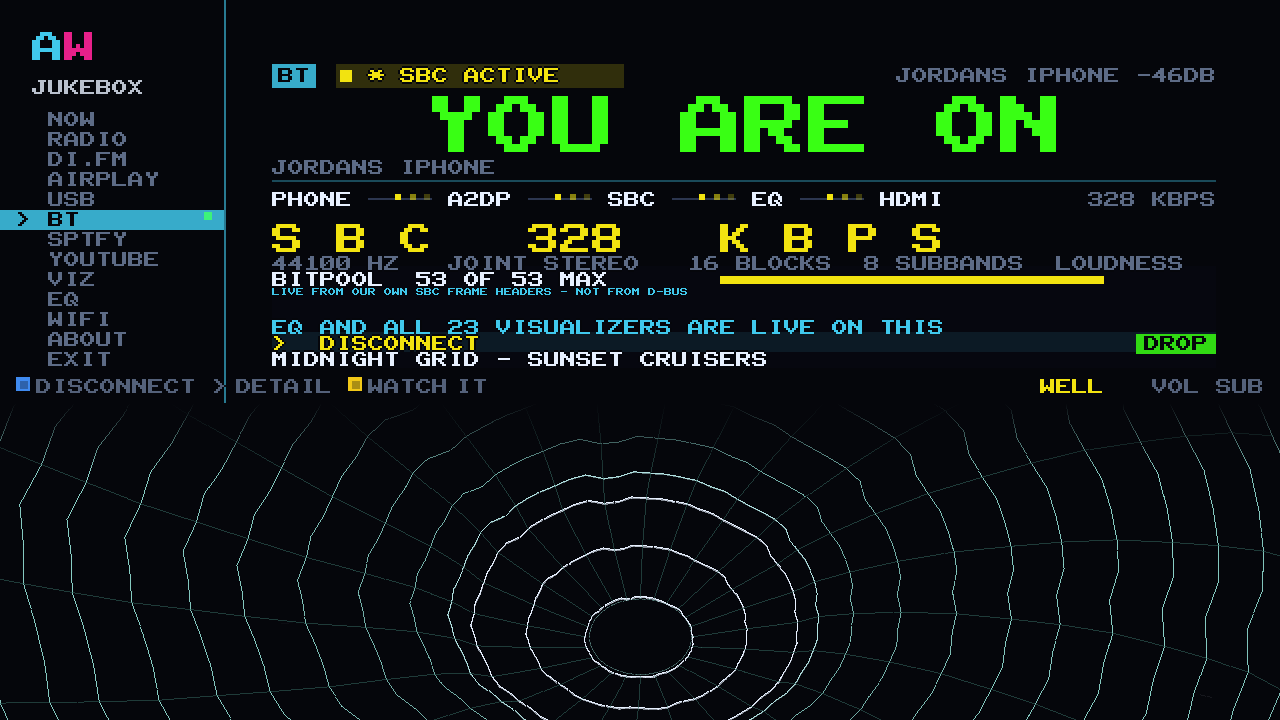
Choose AWOW JUKEBOX in your phone's Bluetooth list. On the cabinet, press A to open the door: a 60-second pairing window, the cabinet's name in the biggest type the screen draws, a number to compare, and nothing to type.
The door shuts by itself, and that is on purpose. The cabinet is not sitting in every device list on the street all evening, and nobody walking past can put anything through your speakers. When you want a new phone on it, you open the door again. Phones the cabinet already knows sit in a rack and reconnect with one press.
The track name comes across from the phone and shows on the cabinet. And the screen says the part that matters in plain English while it plays: EQ AND ALL 23 VISUALIZERS ARE LIVE ON THIS. Whatever the phone is playing and whichever app it came out of, it arrives in the jukebox and gets the same 10-band EQ and the same 23 visualizers as everything else on the machine.
The screen names the codec it negotiated, SBC, and the rate it is running at, read out of the audio frames themselves rather than guessed: LIVE FROM OUR OWN SBC FRAME HEADERS. The Bluetooth sink and its SBC decoder were written from scratch for this cabinet, which is why it can tell you. Bluetooth is Bluetooth: it is the convenient one, and the cabinet does not pretend otherwise.
Bluetooth needs no Wi-Fi, no internet and no account at all. It does need the phone in the room: walk out of range and it stops, the same as any Bluetooth speaker.
THE SECOND WAVE Spotify, YouTube, Wi-Fi from your phone and updates are four things the cabinet gained while we were building it. All of them ship on the card.
SPOTIFY
A SPEAKER CALLED AWOW JUKEBOX.
Pick SPTFY on the rail and your cabinet appears in the Spotify app on every phone in the house, as a Spotify Connect speaker called AWOW Jukebox. Free or Premium, nobody signs in on the cabinet, nobody installs anything. Hand a guest the room and they can put their own playlist on the arcade machine.
THE FOUR SPOTIFY SCREENS, ONE BY ONE
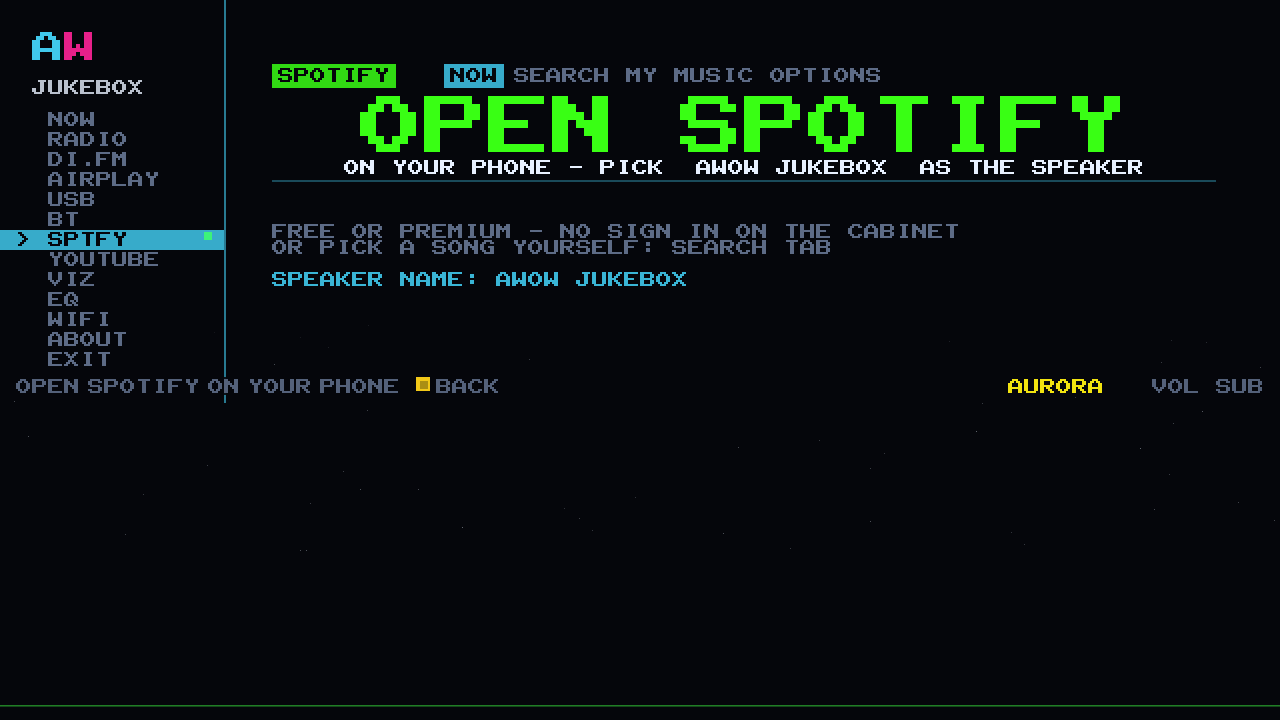
> THE WALK-UP SPEAKER
The waiting screen tells a guest exactly what to do and nothing else: open Spotify, pick AWOW Jukebox as the speaker. That is the whole instruction. The cabinet appears when you select SPTFY, not permanently, so it is not sitting in every neighbour's device list.
A Free phone hears Spotify's adverts and the screen says AD BREAK while it does, then the music continues. Premium on the phone removes them.
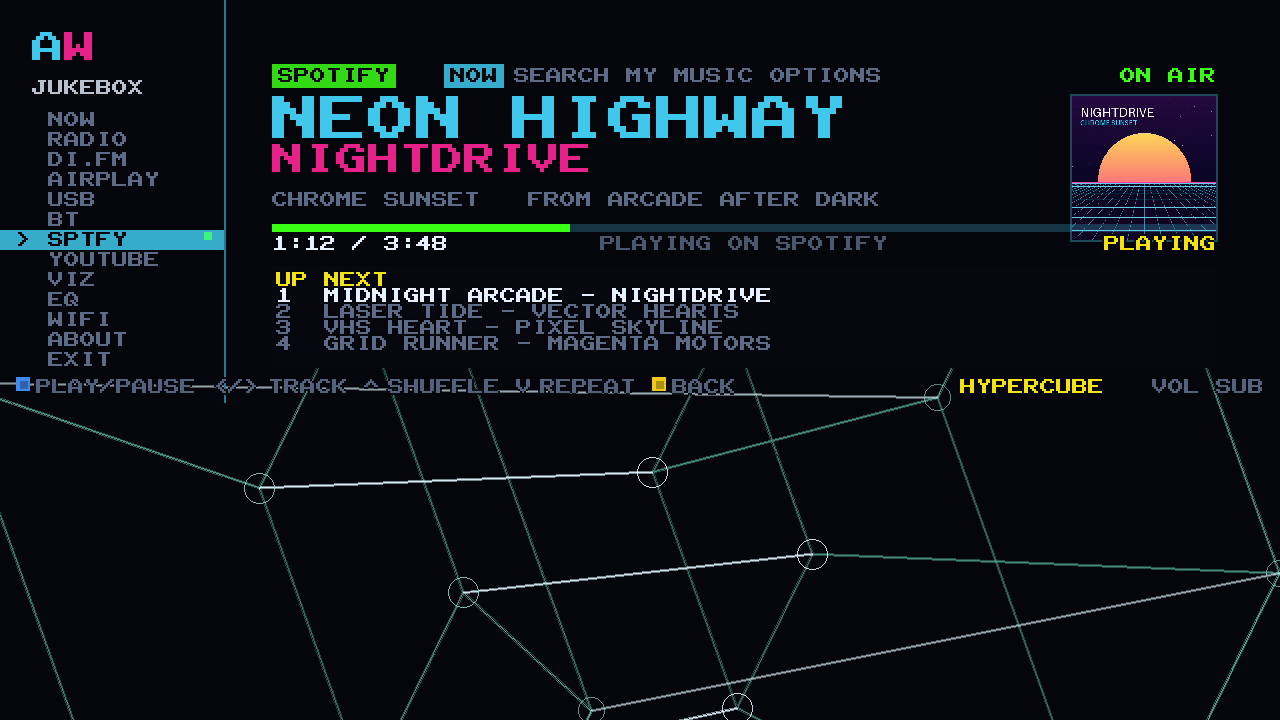
> ON THE BIG SCREEN
Once it is playing, the cabinet shows the sleeve, the track, the artist, the playlist it came from, the scrubber and what is up next, all in pixel type big enough to read from the sofa. Underneath it, the visualizer.
16-bit 44.1 kHz stereo into the cabinet's own 10-band EQ, then out to the 2.1 amp and the sub. Same path as everything else on the machine.
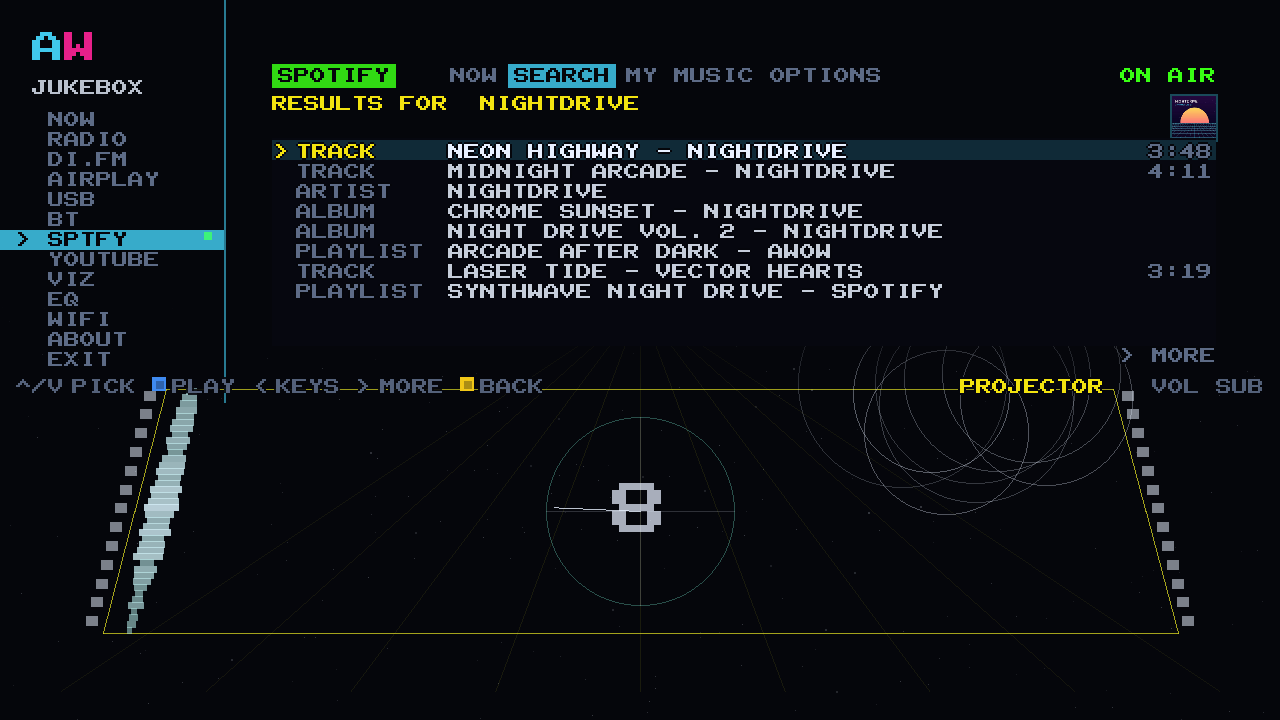
> SEARCH AND MY MUSIC ON THE CABINET
The owner links a Premium account once, from a phone, and the cabinet gets two more tabs of its own. SEARCH: type with the stick, ten results a page across tracks, artists, albums and playlists, press A to play. MY MUSIC: your playlists, Liked Songs, saved albums, top tracks and recently played, straight on the arcade machine with no phone in anybody's hand.
Walk-up picks play through the owner's account. A phone that casts plays under its own.
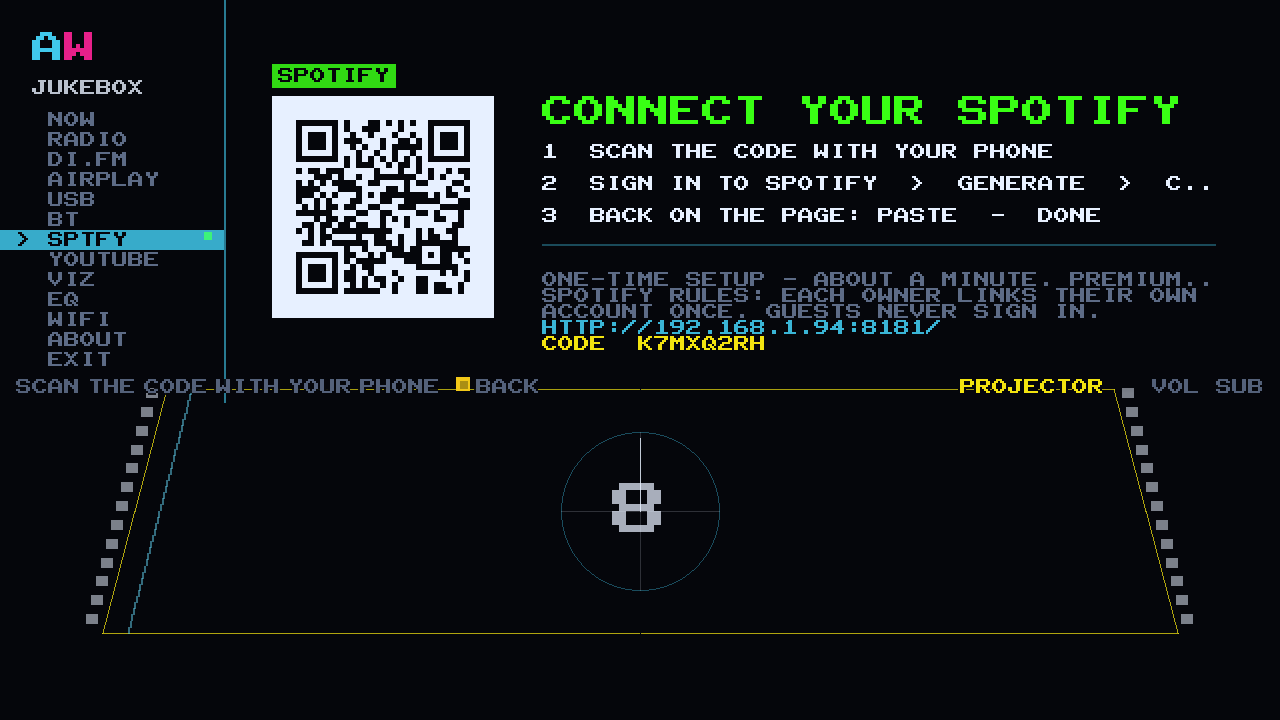
> THE OWNER'S ONE-TIME SETUP
The cabinet puts a QR code on the screen. Point your phone at it and a page opens on your own Wi-Fi with six tiles on it, one job each, and a n/5 DONE counter along the top. The first tile is the speaker: about a minute, one Premium account, and the cabinet is a Spotify Connect speaker for everybody in the house.
Two more tiles on the same page add SEARCH and MY MUSIC. They are optional. Nothing on that page is a wizard you have to finish before the jukebox will work.
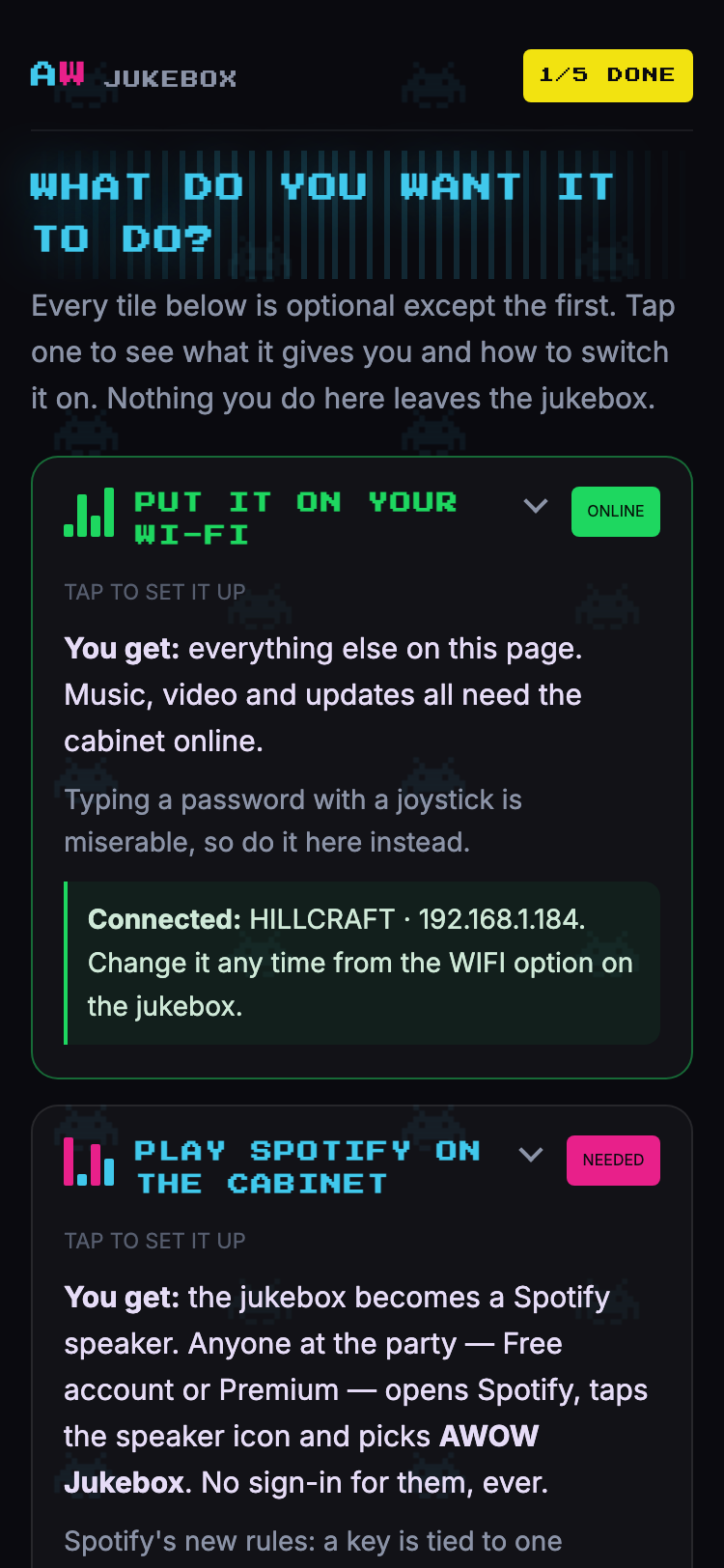
Depends on Spotify.
YOUTUBE
SEARCH IT ON THE STICK. WATCH IT ON THE CABINET.
Pick YOUTUBE on the rail and you do not get a spinner. You get Denise, who wheels a projector onto the stage, gets it stuck, shoves it home, switches it on and waves at you. Eight seconds, the beam lights at five, and then the picture. It happens once, every time you come in, and it is the bit people show their mates.
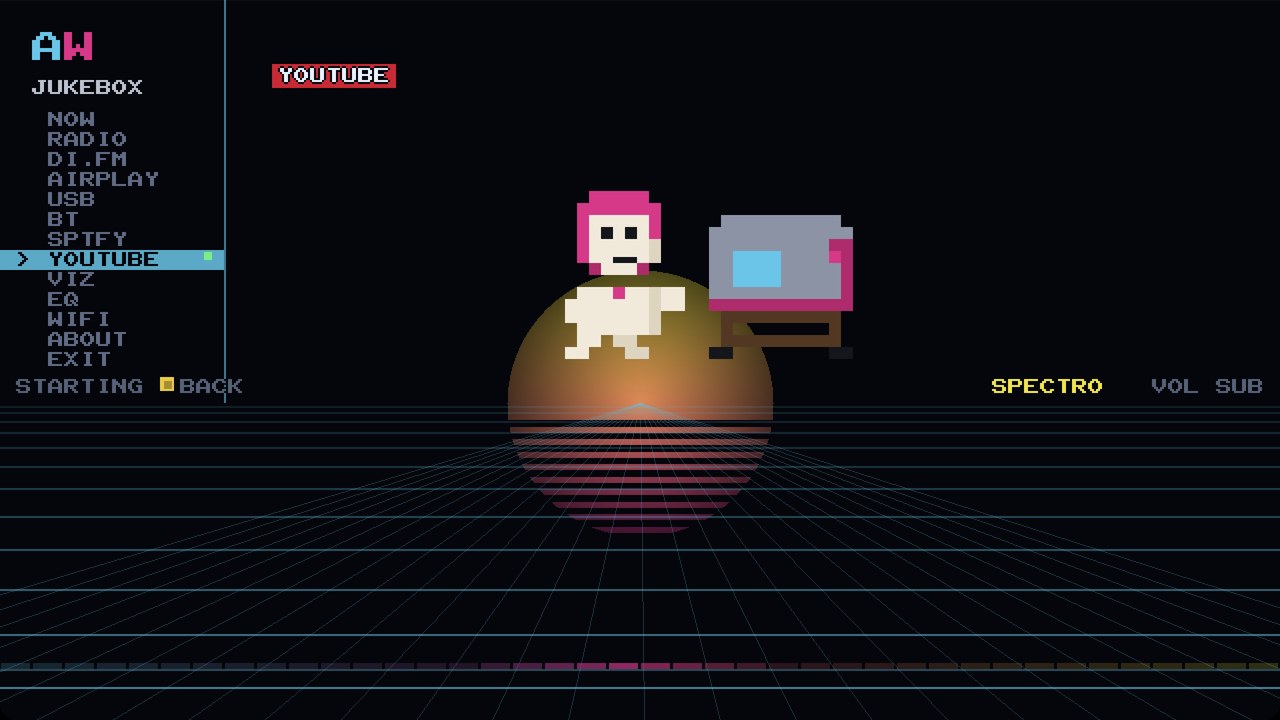
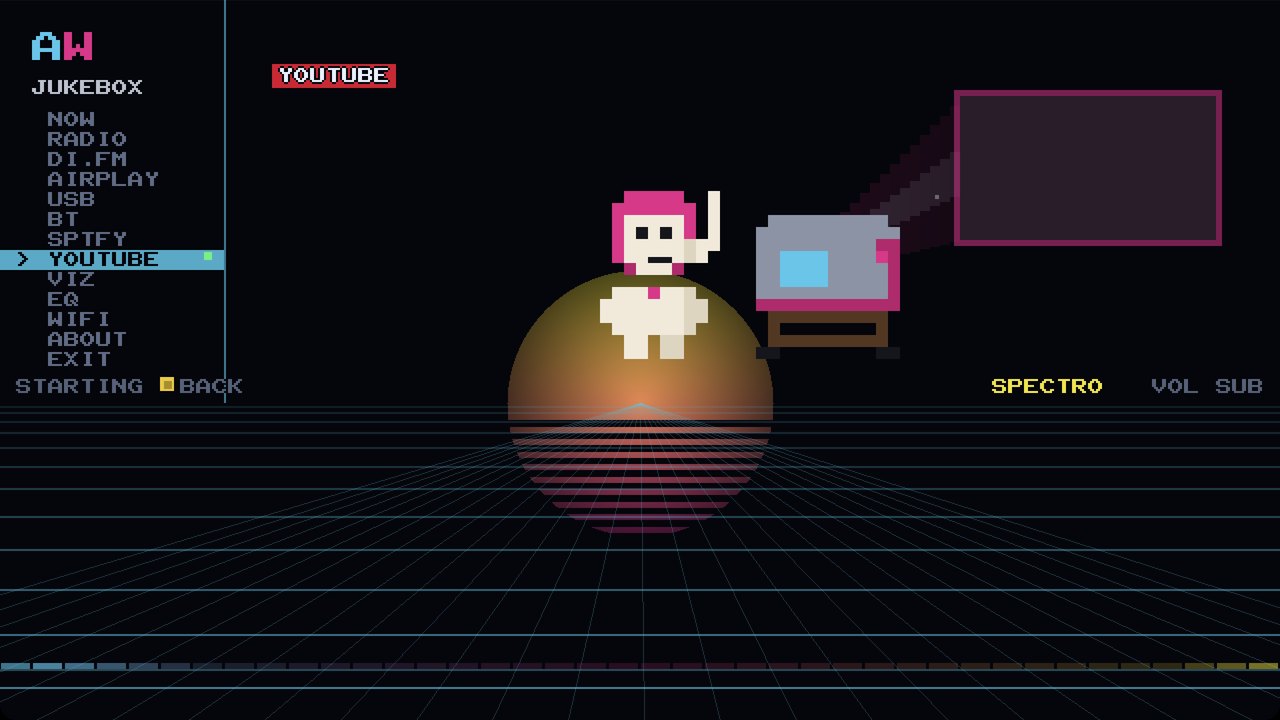
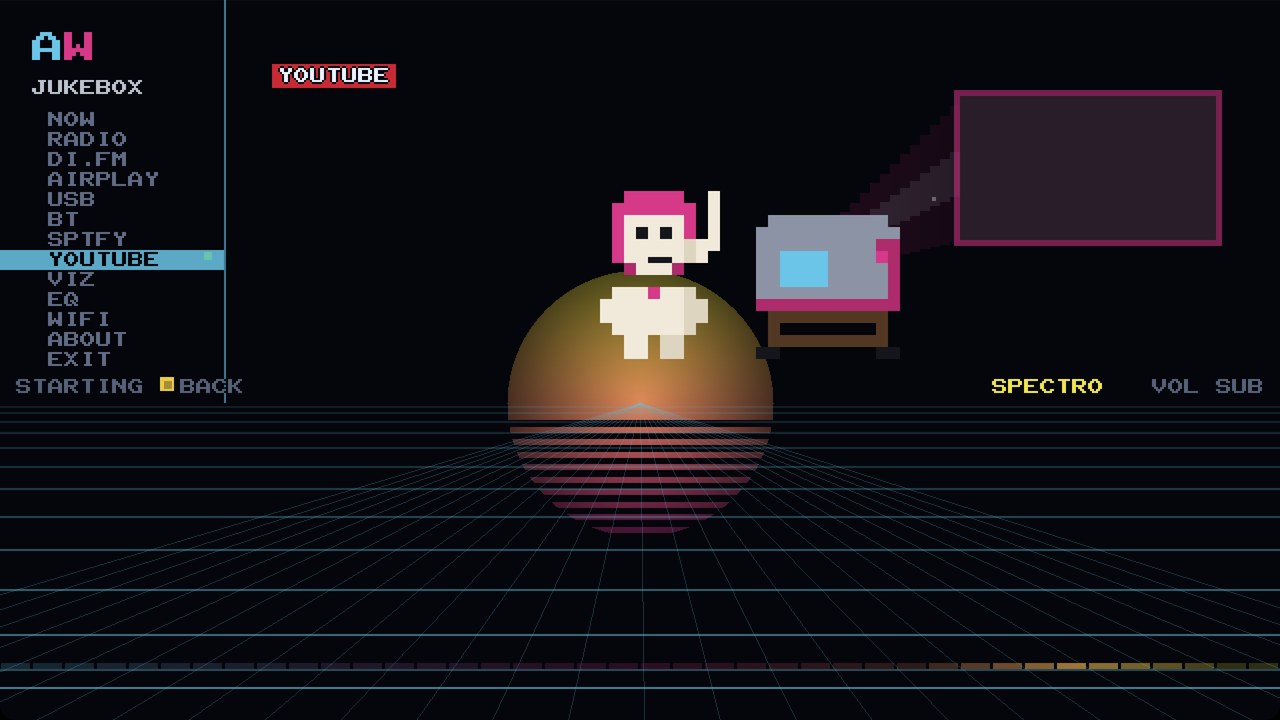
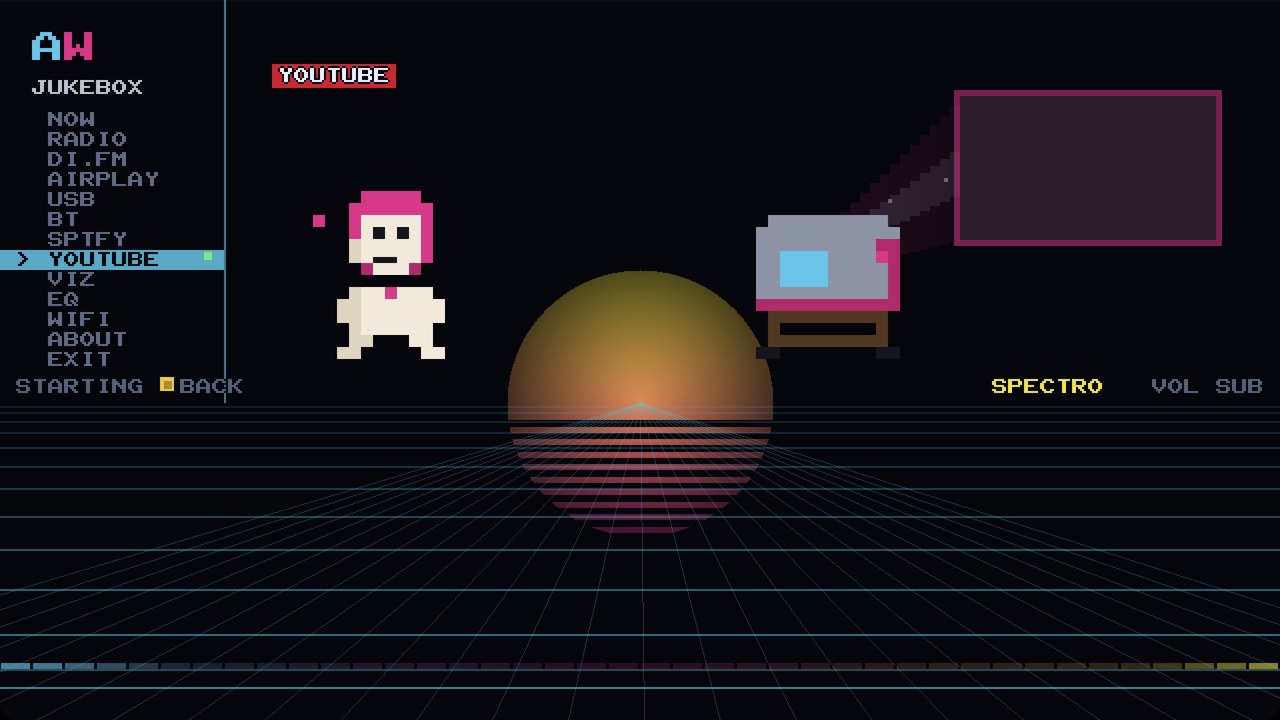
Four frames of the eight-second intro, captured from the running jukebox.
THE FIVE YOUTUBE TABS, SCREEN BY SCREEN
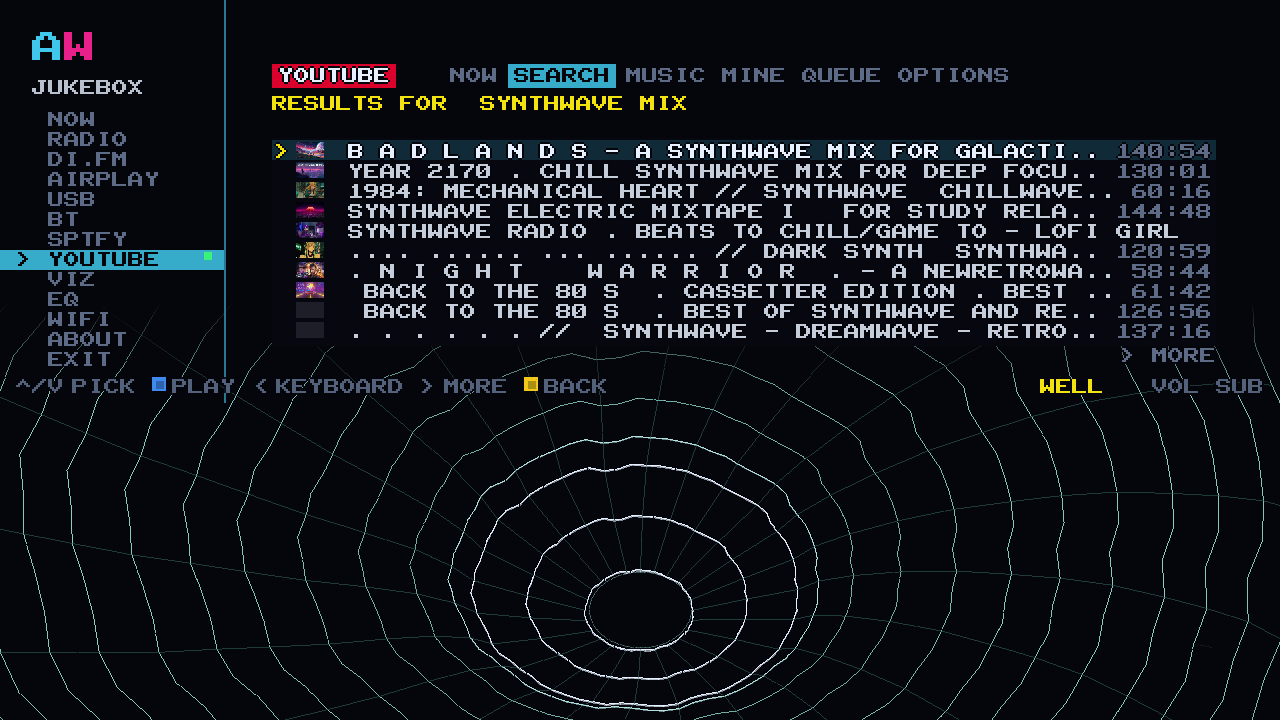
> SEARCH, WITH NO ACCOUNT
Type on the arcade keyboard with the stick and press DONE. Twelve results a page, with thumbnails and running times, and MORE at the bottom for the next twelve. Nobody signs in to anything. A guest can walk up, find the song they have been going on about all night, and play it.
Press A on a row and it plays. Press A on another and it joins the queue behind it.
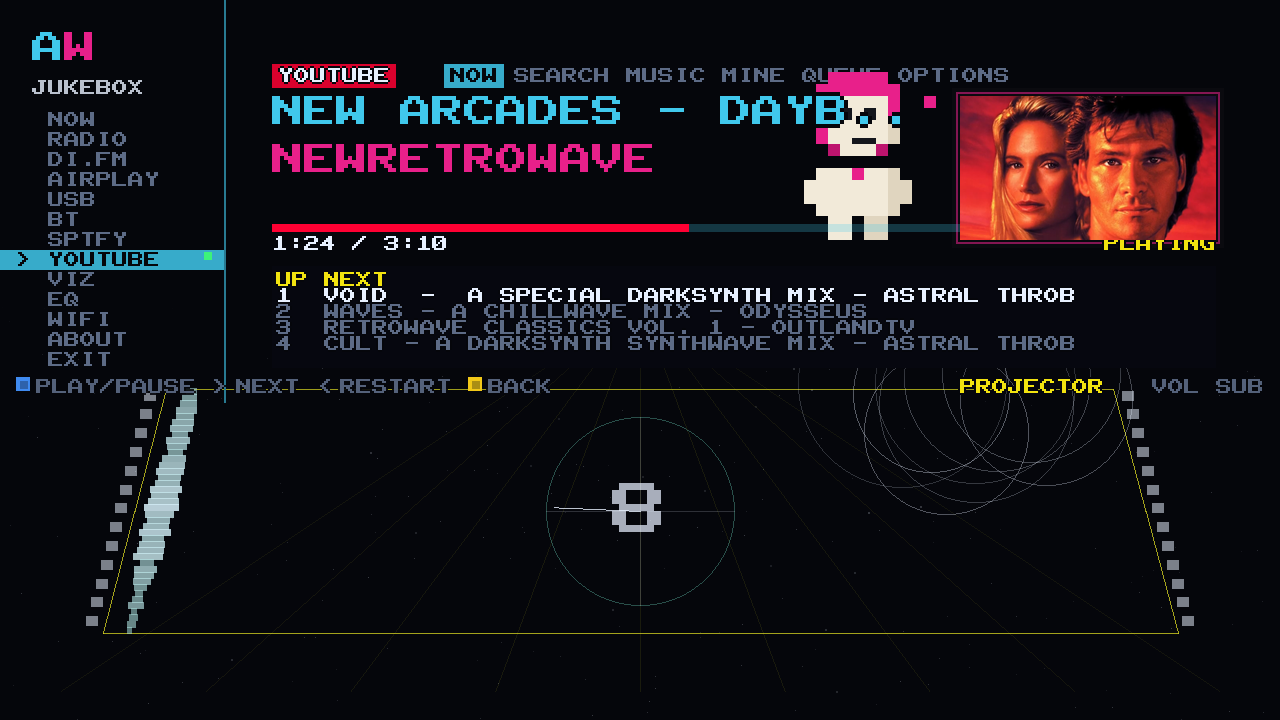
> THE VIDEO ON THE CABINET
The video plays on the cabinet screen, up to 720p, hardware decoded, in the panel where the album art usually sits. The visualizer keeps running underneath it, so the bottom half of the screen is still moving to the track. Turn the video off in OPTIONS and you get the thumbnail instead, which is what you want when the jukebox is background rather than foreground.
Video waits for a download. Audio-only is immediate. There is no seek, so you cannot scrub to the good bit, and there is no like or save.
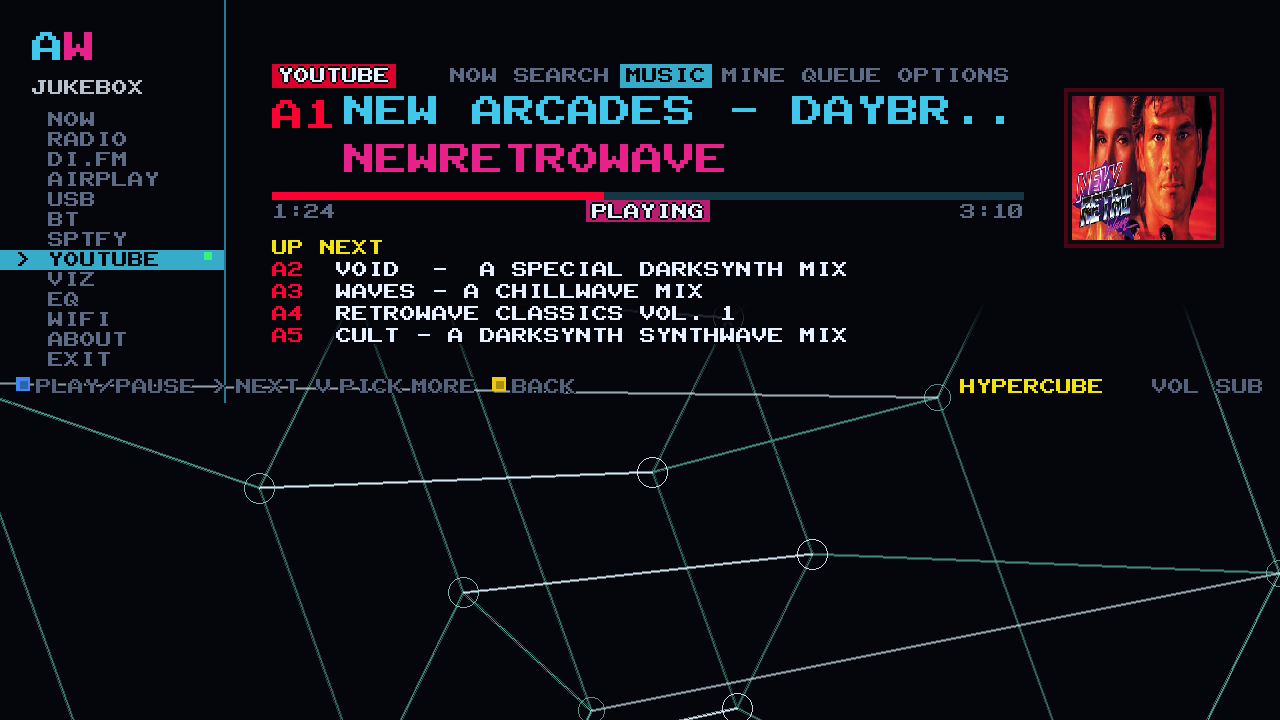
> THE MUSIC DECK
The MUSIC tab is audio only, and it is drawn like a record deck: one big square sleeve, the track, the channel, and a stack of what is coming. Every pick gets a selector code, A1 to A8 and then B1, exactly like the letter-and-number buttons on a jukebox that takes coins. Up to five sit in the stack where everyone can see whose song is next.
This is the one for a room full of people. No video, no distractions, just the queue and the visualizer.
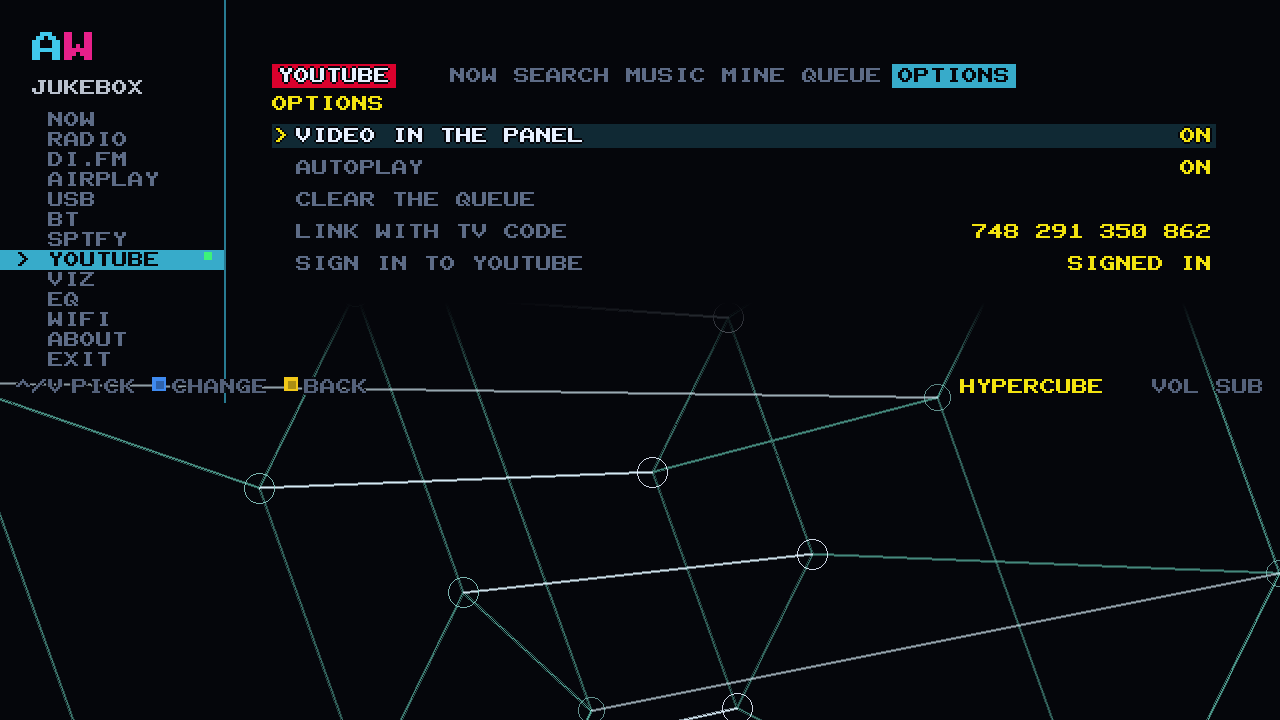
> CAST FROM YOUR PHONE
Open the YouTube app on your phone, tap the cast icon and pick AWOW JUKEBOX. The cabinet takes it from there. If the phone will not find it, OPTIONS carries a 12-digit TV code you can type into YouTube instead, the same way you would link a television.
A cast waits for the download the same as a search does, so give it a moment before you decide it has not worked.
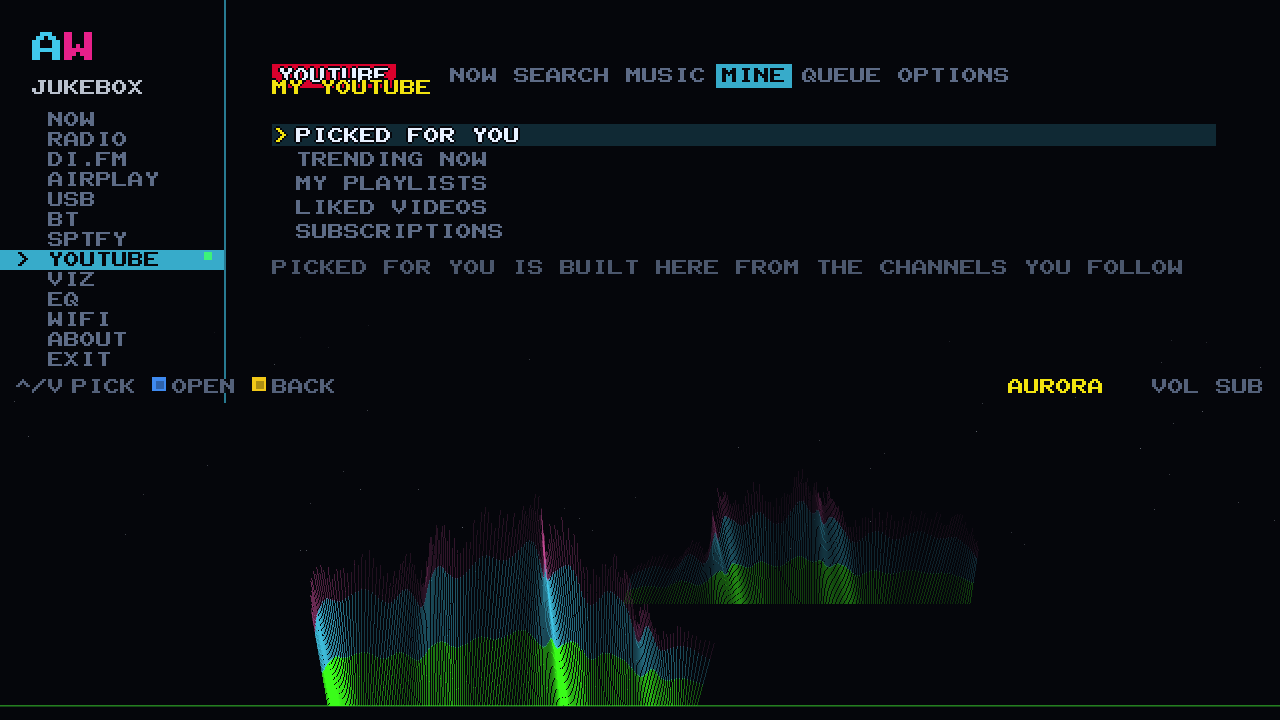
> MINE
If you want your own stuff on the cabinet, sign in the way a television does: a code on the screen, typed on your phone. Then MINE gives you five rows: PICKED FOR YOU, TRENDING NOW, MY PLAYLISTS, LIKED VIDEOS and SUBSCRIPTIONS.
The sign-in is read-only, on purpose. The cabinet can see your playlists and your subscriptions. It cannot like anything, subscribe to anything, or write a single thing back to your account. Skip it entirely and search still works.
Depends on Google.
WE GAVE THE SUBWOOFER A PROPER JOB
ONE EQ FOR EVERYTHING.
Radio, AirPlay, Bluetooth, Spotify, YouTube and a USB stick all arrive at the same place: your phone or the internet, then the cabinet's own decoder and 10-band EQ, then 16-bit 44.1 kHz stereo over HDMI into the cabinet's 2.1 amp, then the sub with its own dial. One EQ and one visualizer for every source, with nothing special-cased.
> TEN FADERS AND FIVE PRESETS
EVERY FREQUENCY, AND WHAT EACH PRESET IS FOR
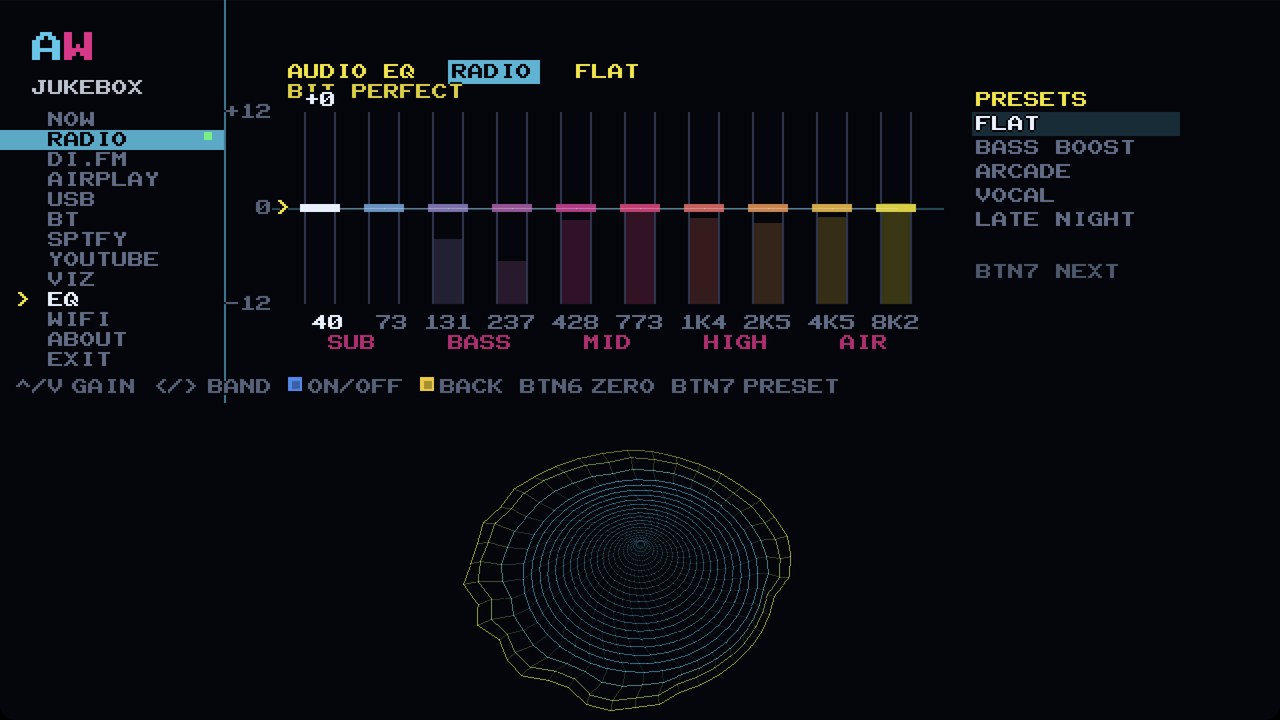
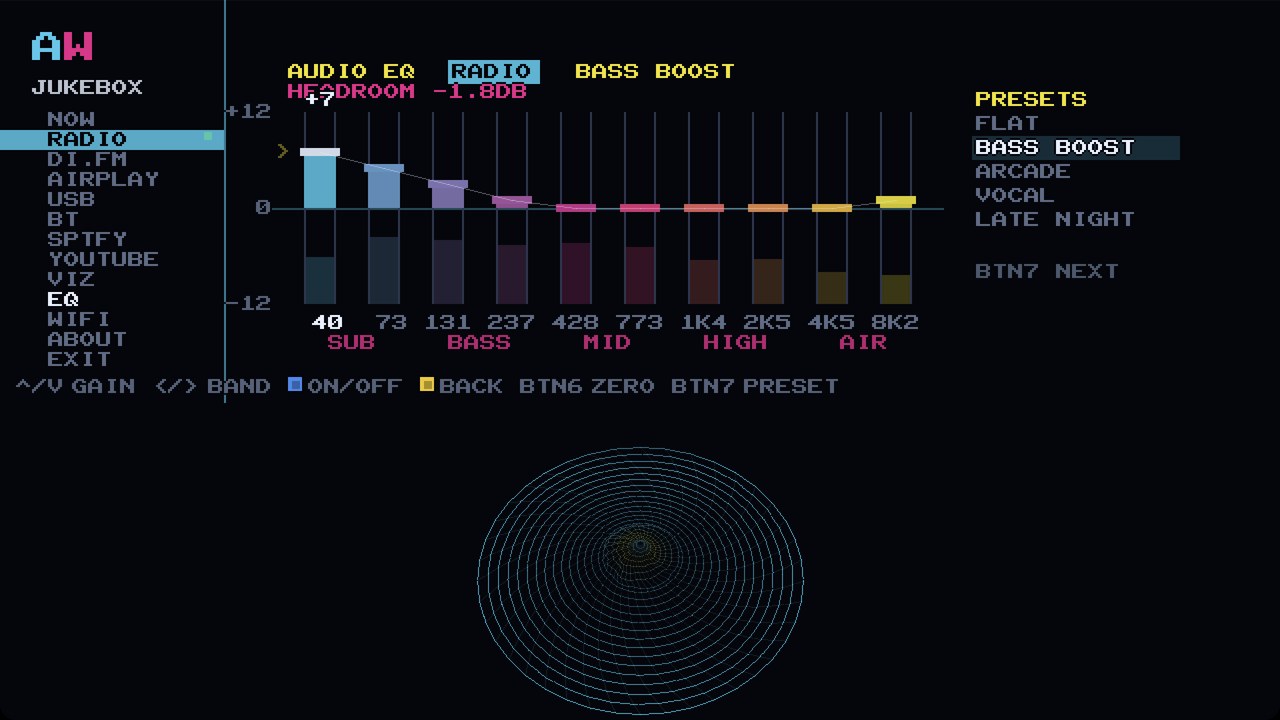
Ten bands, plus or minus 12 dB, tuned with the joystick, labelled the way the cabinet labels them: 40 73 131 237 428 773 1K4 2K5 4K5 8K2, grouped SUB BASS MID HIGH AIR. Five presets to start from: FLAT, BASS BOOST, ARCADE so chip music cuts through, VOCAL, and LATE NIGHT for when the house is asleep. BTN7 walks through them.
BIT PERFECT, HEADROOM AND THE SUB'S OWN DIAL
Leave every fader at zero and the EQ steps out of the way. The screen says BIT PERFECT, and it means it. Put a boost in and it says HEADROOM instead, and the EQ trims only what it must.
Loudness stays on the sub's own dial, the one already within reach on the cabinet. The jukebox runs at unity so nothing is thrown away on the way to it.
Where JavaScript is running, the faders above are live: they reshape the page's own groove and the bars in the hero, through the same ten filter designs the cabinet uses.
HOW IT ARRIVES
A NEW CARD IN THE POST. YOUR GAMES STAY.
The Jukebox arrives on a new SD card in the post.
- SWAP THE CARD
- SWITCH THE CABINET ON
- JUKEBOX APPEARS IN YOUR GAMES MENU
- YOUR GAMES AND YOUR MENU STAY EXACTLY AS THEY ARE
WHERE THE CARD GOES, AND WHAT YOU KEEP
The card lives behind the coin door, on the Raspberry Pi that runs the machine. We send the exact steps with the card and they are on the support page, so nobody has to work it out with a torch in one hand.
Delivery time: [CONFIRM: posting time]. What you keep from the old card: [CONFIRM: what you keep from the old card]. What to do with the old card: [CONFIRM: returns and the old card]. Cabinet compatibility: [CONFIRM: compatibility].
After that, updates arrive by themselves over Wi-Fi once we release them. The card is how the Jukebox gets to you. Wi-Fi is how it keeps up.
THE REMOTE.
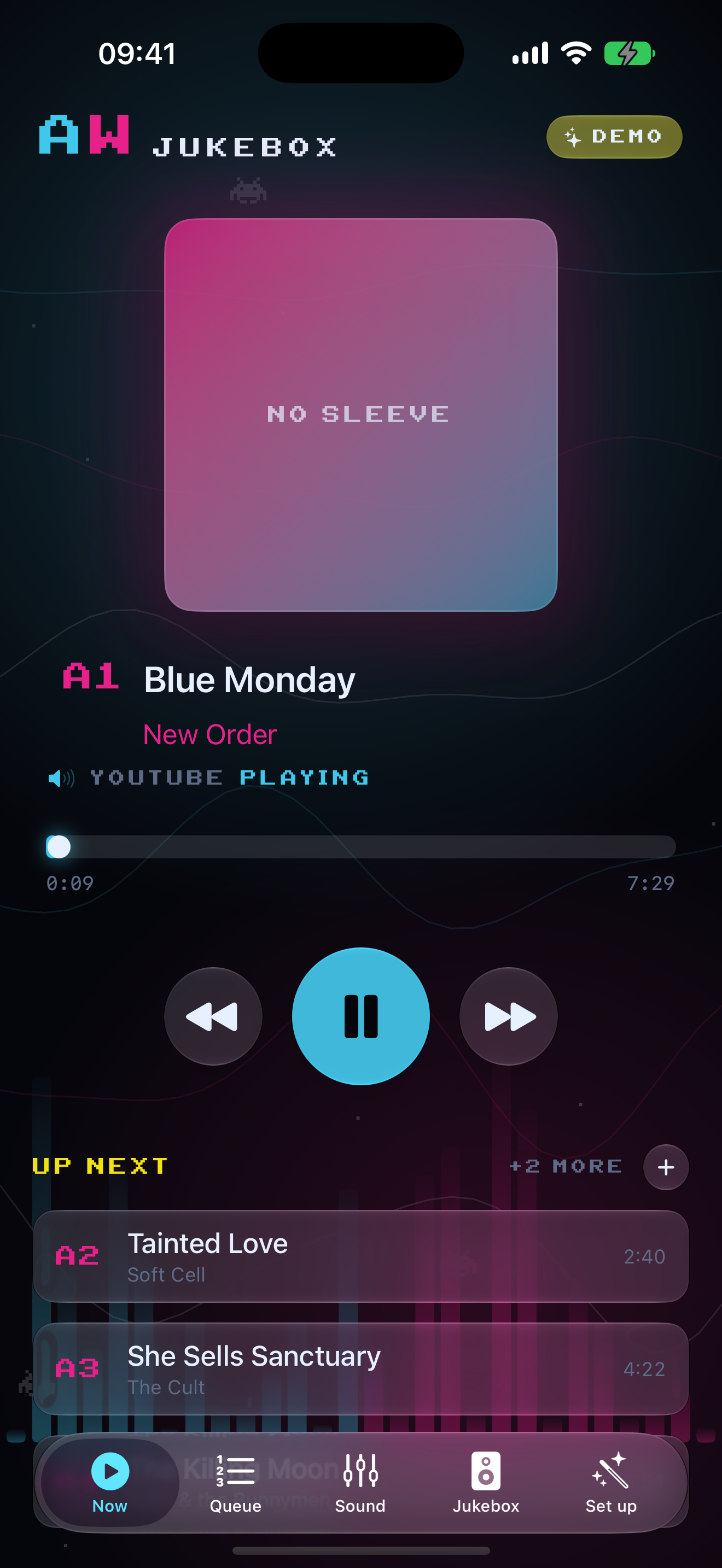
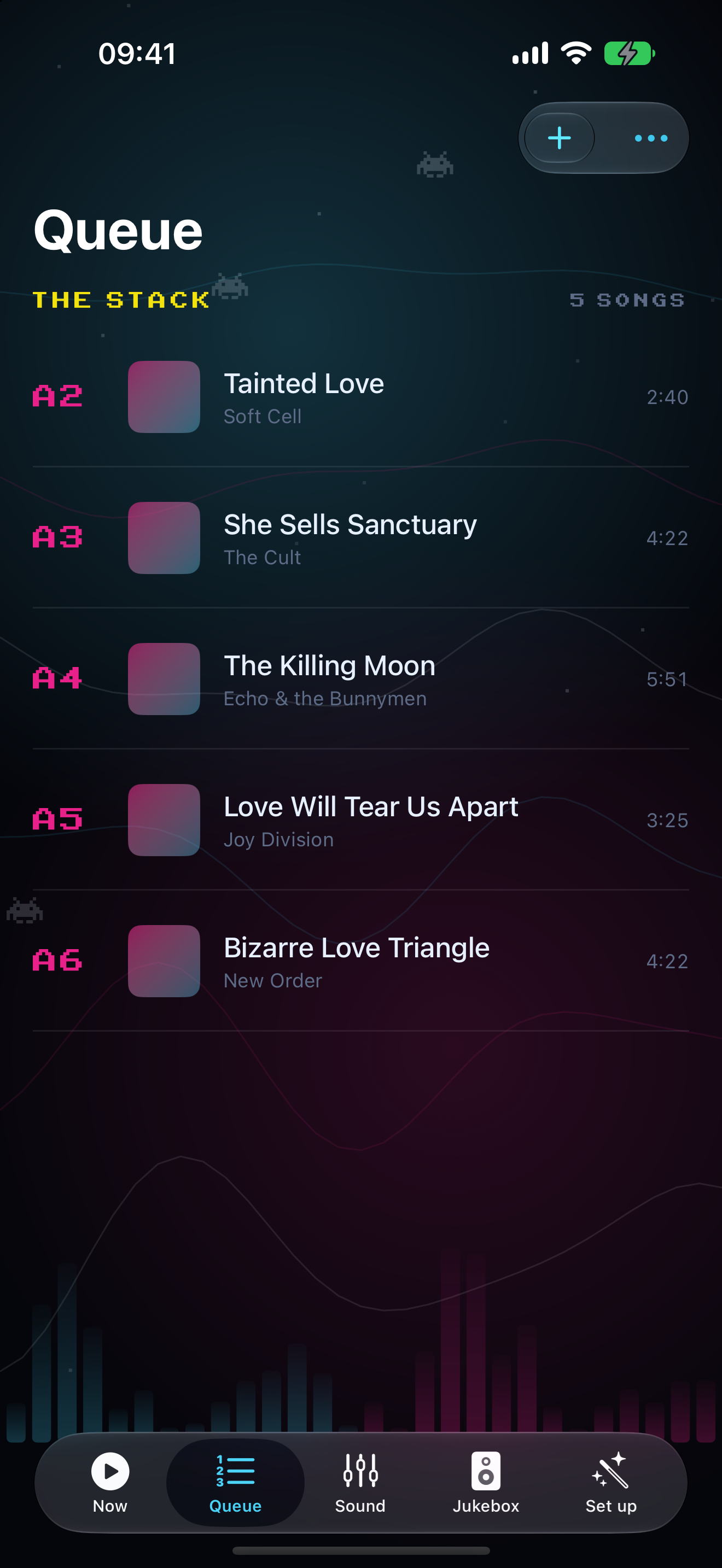
Everything on this page works from the cabinet's own screen and joystick. The app is the remote.
HOW THE IPHONE BETA WORKS, AND ANDROID
The iPhone app is in beta now, through TestFlight. TestFlight is Apple's own app for trying software before it reaches the App Store: you install TestFlight first, then the invitation puts AWOW Jukebox on your phone. It is a beta, so expect the odd rough edge and tell us when you find one; that is the entire point of a beta. Apple expires beta builds after ninety days, which is Apple's rule and not ours, so if the invitation has run out by the time you get to it, email [email protected] and we will send you the current one. [CONFIRM: TestFlight invite link] [CONFIRM: minimum iPhone iOS version]
There is no TestFlight for Android, because TestFlight is an Apple thing. The Android app is coming to Google Play.
You do not need it. The 187 stations, the searches, the 23 visualizers, the 10-band EQ, the Wi-Fi and a USB stick are all done on the cabinet with the joystick and the buttons, with no account to make, nothing to download and no subscription from us. AirPlay, Bluetooth and Spotify want a phone or a computer only because that is where your music is streaming from, and those are your phone's own apps, not ours.
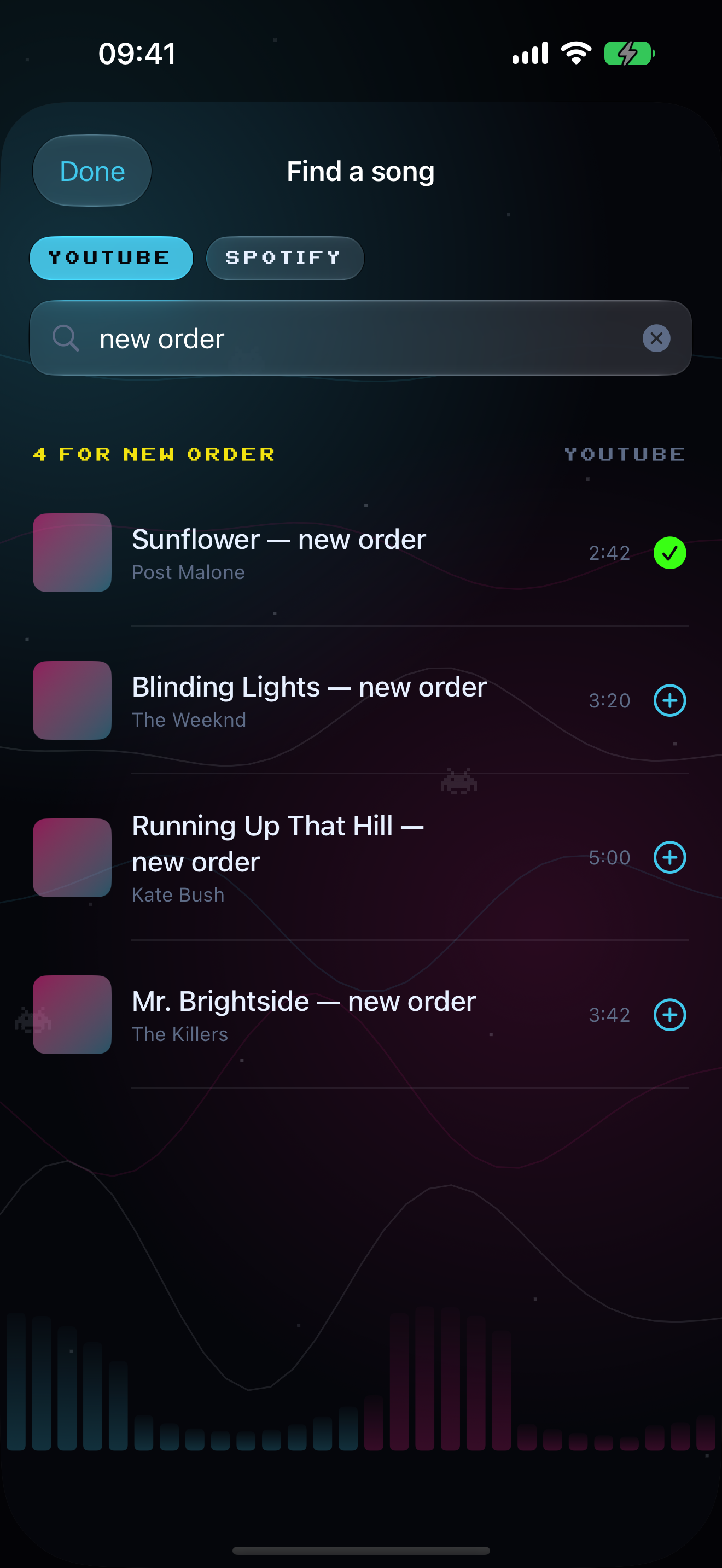
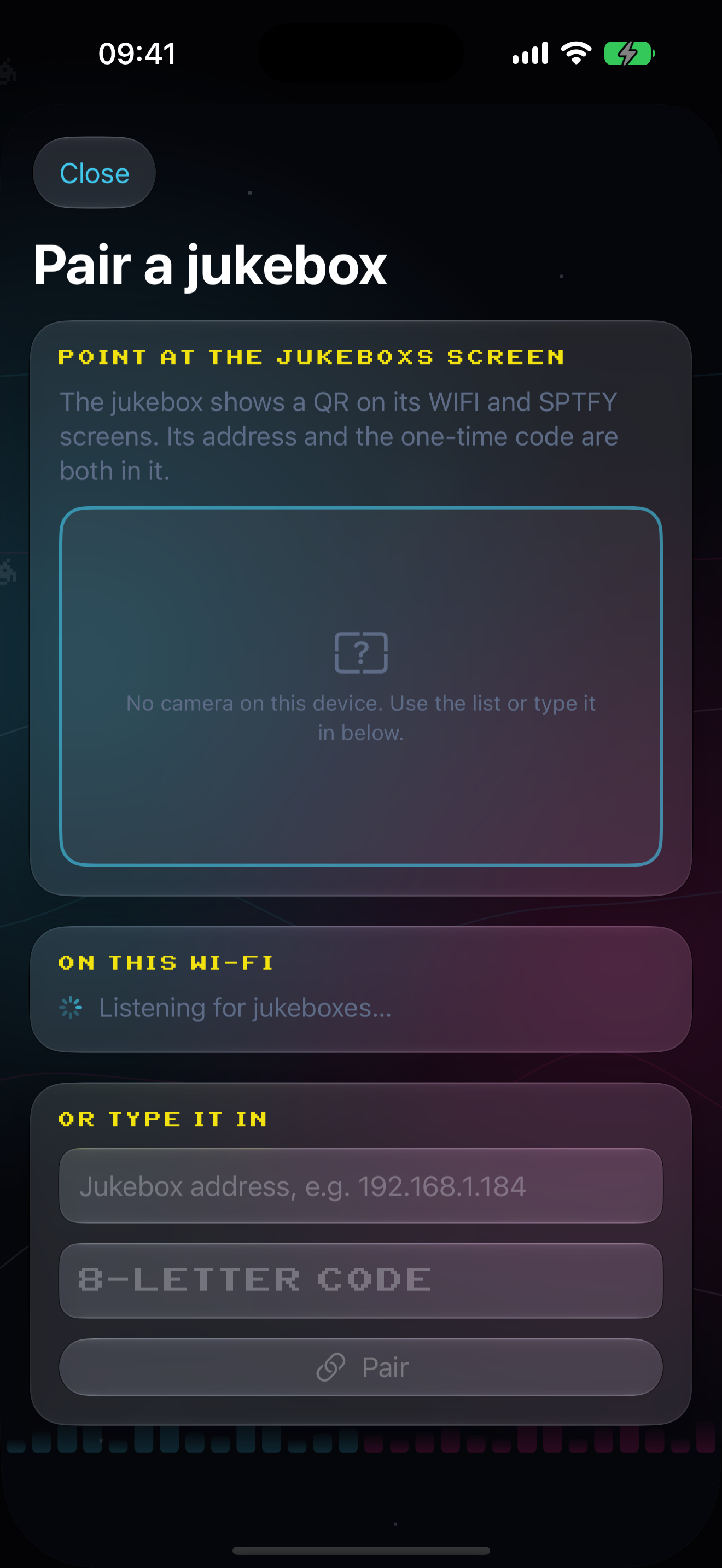
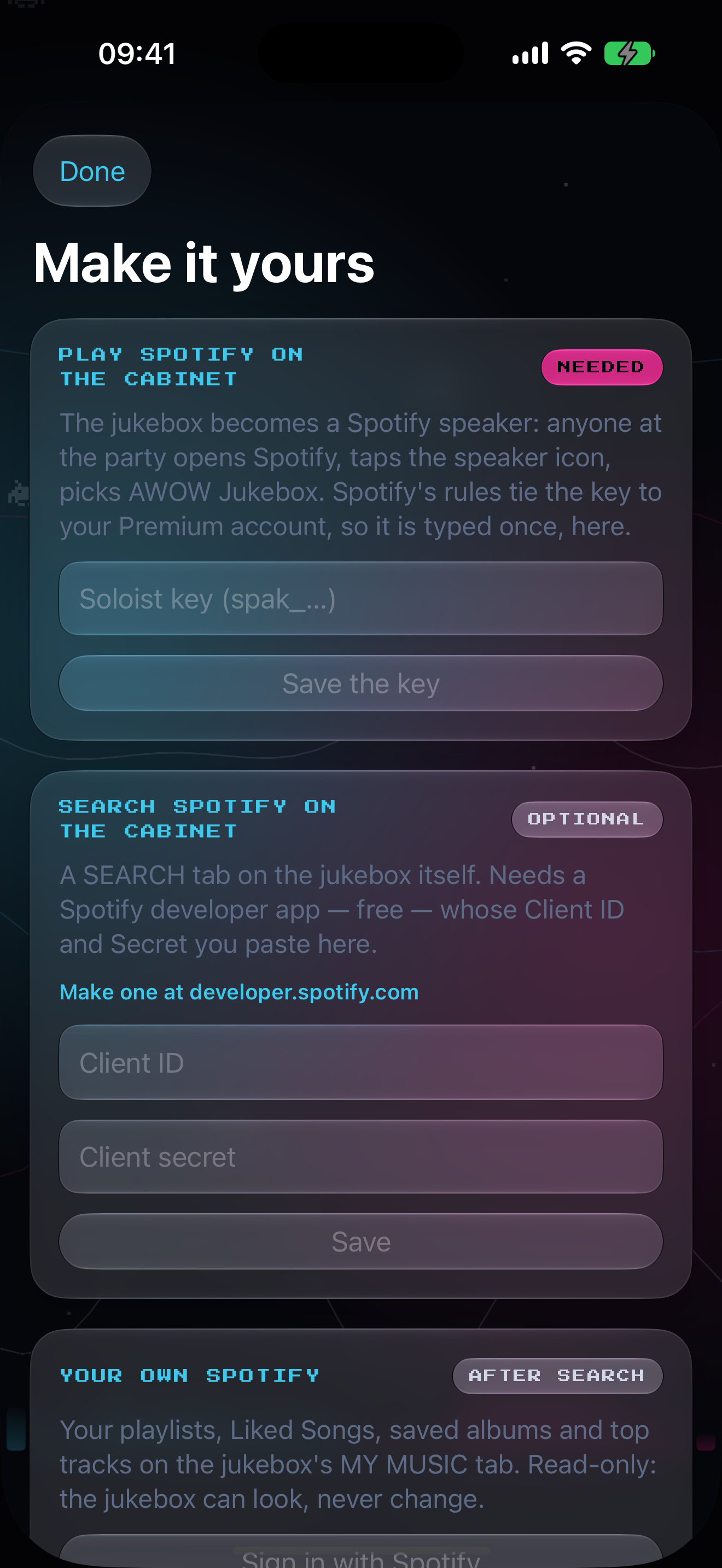
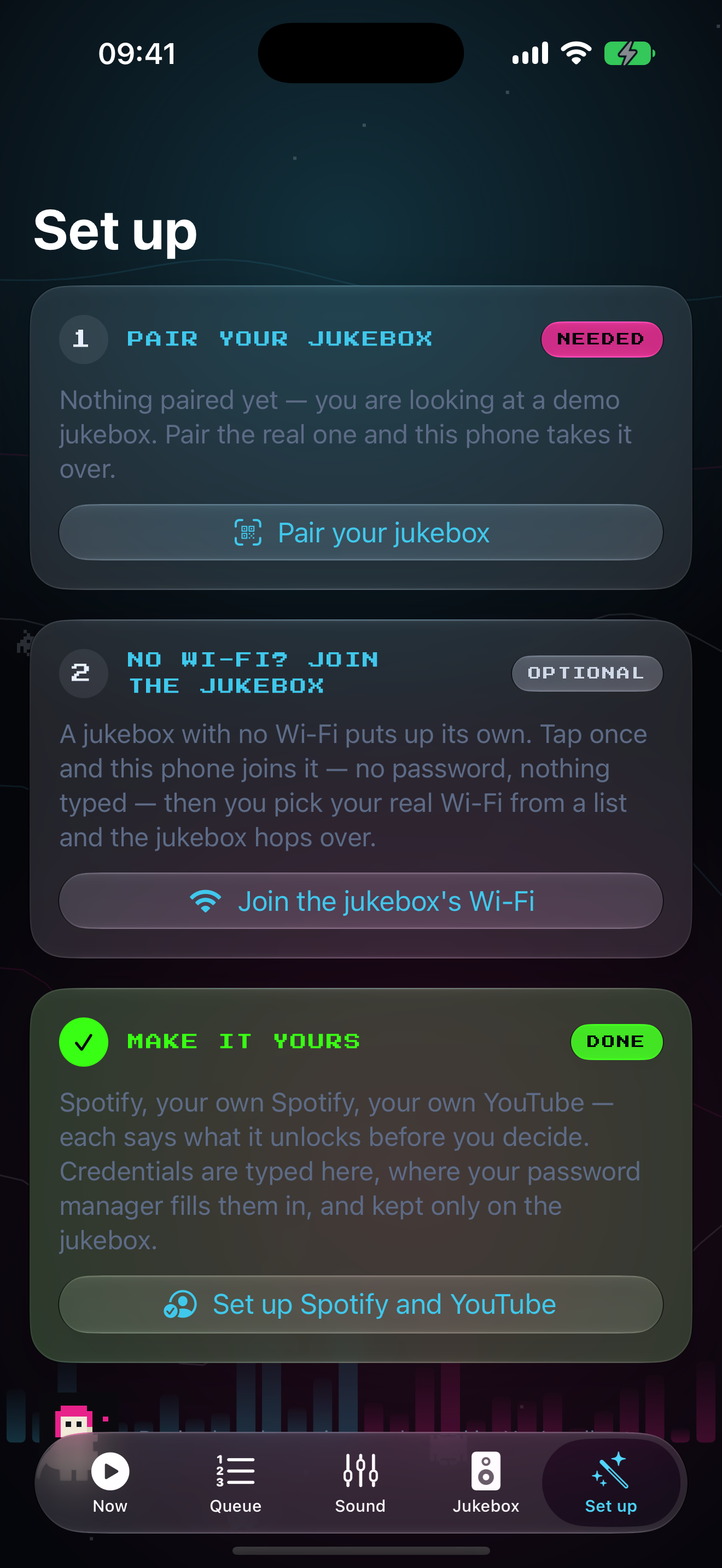
ALL NINE THINGS THE APP DOES
ANDROID, AND THE TWO SIDE BY SIDE
ANDROID TOO
The five tabs, pairing by typed code (the app finds the cabinet on your network and fills the address in for you), search and the stack, EQ and visualiser, away from home through the relay, and the Business toggle. Android 10 or later.
We have not faked an Android screenshot for this page. When the build is on a phone we will put the real ones here.
| Feature | iPhone | Android |
|---|---|---|
| Five tabs | Yes | Yes |
| Pairing by camera and QR | Yes | No, typed code |
| Pairing by typed code | Yes | Yes |
| Finds the cabinet on your network | Yes | Yes |
| Search and the stack | Yes | Yes |
| EQ, presets, visualiser, shuffle | Yes | Yes |
| Spotify and YouTube sign-ins in the app | Yes | Opens the cabinet's own page |
| Cover art | Yes | No |
| Scrub | Yes | No |
| Widgets, Live Activity, Control Center | Yes | No |
| Siri | Yes | No |
| Watch app | Yes | No |
| Notifications | Yes | No |
| Away from home through the relay | Yes | Yes |
| Business toggle | Yes | Yes |
SWIPE THE TABLE SIDEWAYS
No accounts, no analytics, no advertising identifiers in the app. Guests never install anything.
THE WHOLE LIST
EVERYTHING ON THE CARD, RAIL BY RAIL.
THE WHOLE LIST, RAIL BY RAIL
| Rail | What it does | Needs Wi-Fi | Needs an account |
|---|---|---|---|
| NOW | Title, artist, album, cover art and a scrubber, on the top half of the screen. The visualizer underneath. | No | No |
| RADIO | 187 stations in 15 genres, FAVES, STATION INFO, rolling now-playing titles. | Yes | No |
| AIRPLAY | AirPlay 2 from Apple devices to the speaker named AWOW Jukebox. Art, metadata, moving scrubber, your phone's volume slider. | Same Wi-Fi | No |
| USB | Plays MP3s off a stick of your own: folders, ALL TRACKS, cover art from the tags, up to 5,000 tracks listed. The stick is yours; we do not supply one. | No | No |
| BT | Bluetooth from Android and anything else. A 60-second pairing door, a number to compare, no typing. Track name on screen. | No | No |
| SPTFY | A Spotify Connect speaker for any phone, Free or Premium. Plus walk-up SEARCH and MY MUSIC after the owner's one-time setup. | Yes | Guests no. Owner needs Premium for SEARCH and MY MUSIC. |
| YOUTUBE | Walk-up search, video in the panel up to 720p, the MUSIC deck with selector codes, casting from the phone, MINE after an optional read-only sign-in. | Yes | No for search. Optional read-only sign-in for MINE. |
| VIZ | All 23 visualizer modes, each with its own tagline, plus SHUFFLE every 8 bars. | No | No |
| EQ | Ten bands, plus or minus 12 dB, five presets, BIT PERFECT and HEADROOM readouts. | No | No |
| WIFI | STATUS, NETWORKS and OPTIONS, the arcade keyboard, WPS where the router has it, and the QR route to your phone. | It is how you get it | No |
| ABOUT | Build plates, the setup tick list, LOOK FOR UPDATES, and BUILT BY THE SIGNAL CREW. | For updates | No |
| The app ROLLING OUT | iPhone and Android remote: five tabs, search and stack, EQ, visualiser, away-from-home control. The iPhone app is in beta on TestFlight; Android is coming to Google Play. See it. | Yes, away from home | No |
SWIPE THE TABLE SIDEWAYS
Every row above ships on the card except the last, which is the companion app. It is not on the card, it is free, and you never need it.
SET UP, AND KEPT UP
ON YOUR WI-FI FROM THE CABINET OR YOUR PHONE.
Radio, Spotify, YouTube and updates need the cabinet on Wi-Fi. Wi-Fi, not the ethernet port. There are three ways in and you only need one of them.
> FROM THE CABINET
THE THREE TABS, THE KEYBOARD AND WPS
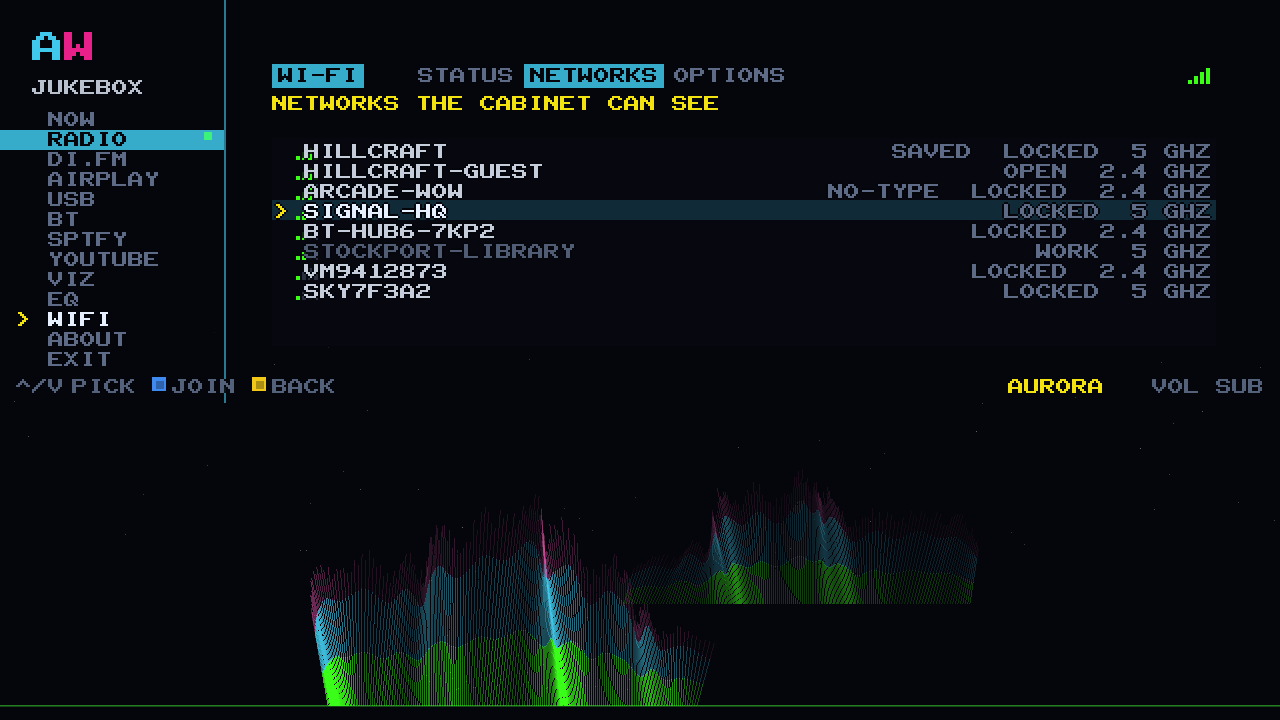
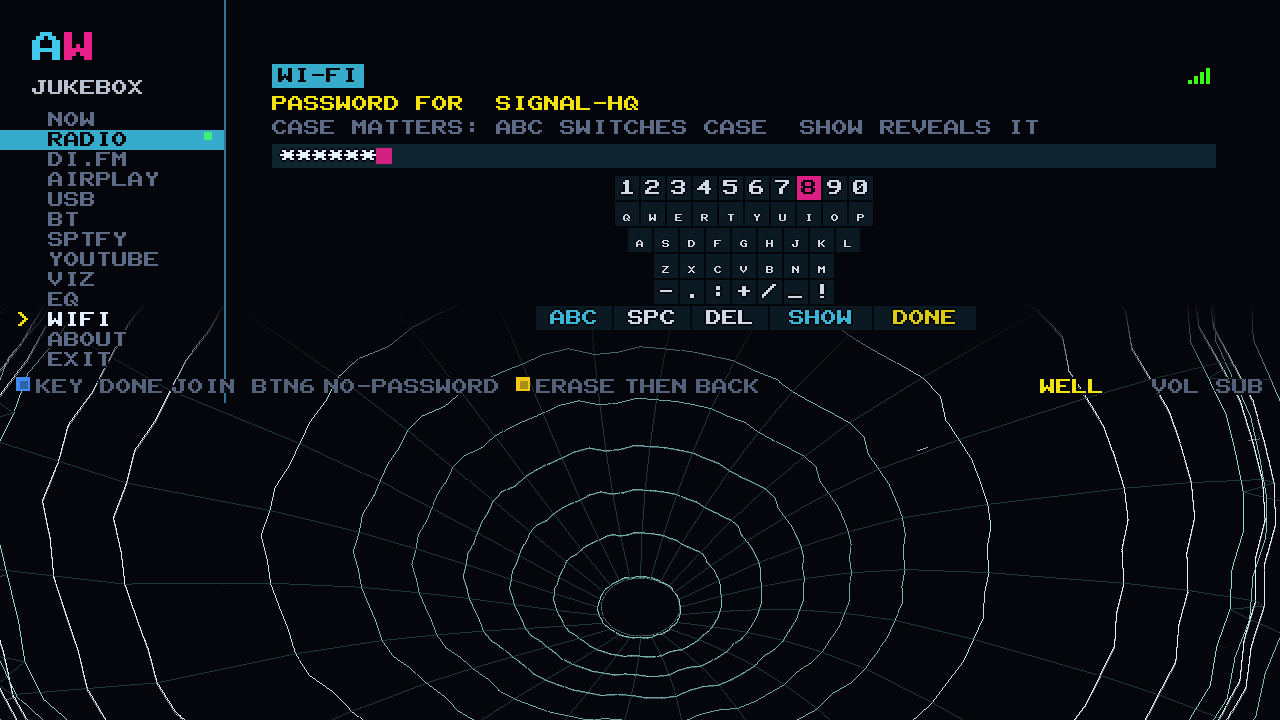
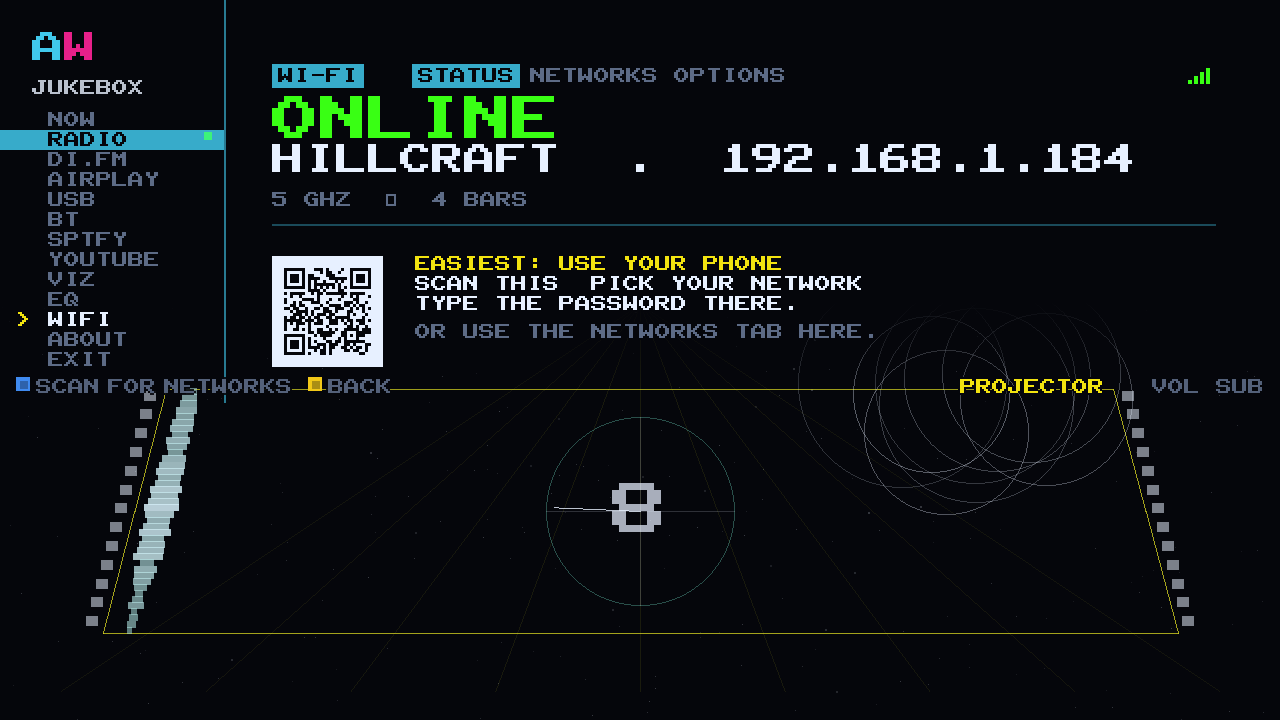
The WIFI rail has three tabs: STATUS for what it is on now, NETWORKS for what it can see with signal bars beside each one, and OPTIONS for scanning again or forgetting a network. Pick yours and an arcade keyboard comes up for the password, with a SHOW key so you can check what you typed before you commit.
Where your router has WPS the network shows as NO-TYPE: press WPS on the router, then BTN6 on the cabinet, and no password is typed at all. THE CABINET KEEPS EVERY NETWORK YOU JOIN AND RECONNECTS BY ITSELF NEXT TIME IT IS SWITCHED ON.
FROM YOUR PHONE, AND HOW UPDATES ARRIVE

SCROLL INSIDE THE PHONE
> FROM YOUR PHONE
The STATUS tab carries a QR code. Point a phone at it and the cabinet's own page opens on your Wi-Fi: WHAT DO YOU WANT IT TO DO?, six tiles, one job each, and a short one-time code so it can only be your phone. Put it on the Wi-Fi from there and never touch the arcade keyboard.
The same page is where the owner links Spotify and signs in to YouTube. On Android you can screenshot your Wi-Fi's own share code and the page will read it for you.
> ABOUT, AND UPDATES
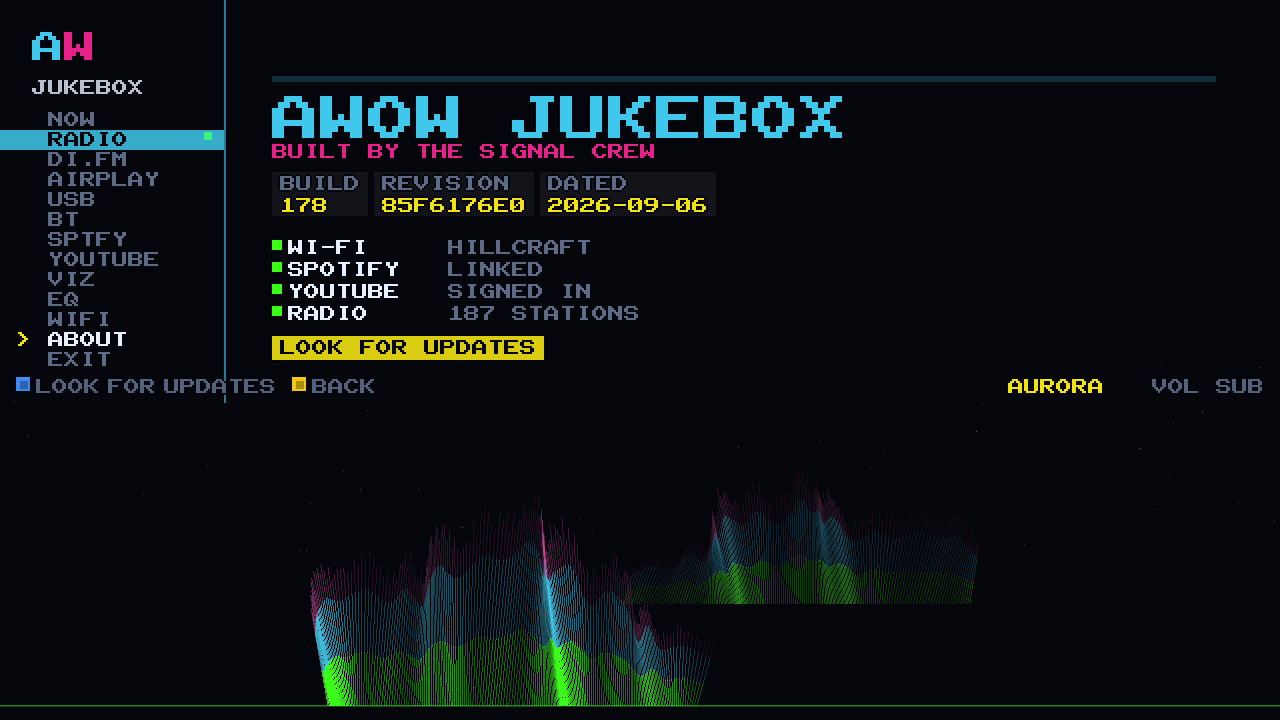
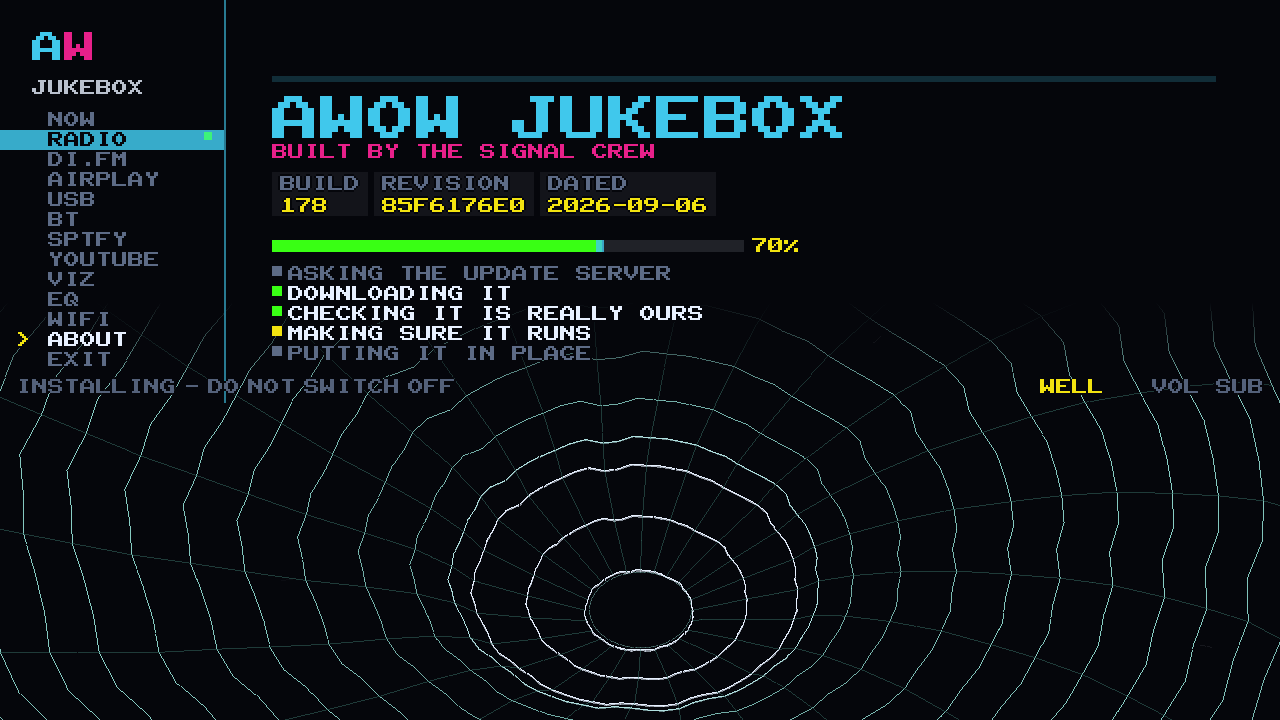
The ABOUT screen is the cabinet telling you the truth about itself: the wordmark, BUILT BY THE SIGNAL CREW, the build plates, and a tick list of what is actually set up. Wi-Fi joined, Spotify linked, YouTube signed in, RADIO 187 STATIONS. If something is not connected, this screen says so rather than pretending.
Updates arrive by themselves over Wi-Fi once we release them. They are signed, and checked before anything is installed. LOOK FOR UPDATES is there if you are impatient, and the screen narrates what it is doing while it works:
- ASKING THE UPDATE SERVER
- DOWNLOADING IT
- CHECKING IT IS REALLY OURS
- MAKING SURE IT RUNS
- PUTTING IT IN PLACE
- THIS JUKEBOX IS UP TO DATE
Updates over Wi-Fi are how the jukebox gets better after you have it. They are not how it arrives. That is the card in the post.

ABOUT THE JUKEBOX
THE SUB IN YOUR CABINET HAS ONLY EVER PLAYED EXPLOSIONS.
The subwoofer in your cabinet has only ever played explosions. Every Arcade WOW arcade machine carries a 120 W 2.1 sound system with a proper sub, a 24-inch Full HD screen, a marquee and 15,000+ games, and until now the only thing it played through all of that was gunfire. The AWOW Jukebox started as a way for the boss to have music through that sub while he was building cabinets. [CONFIRM: Rob may be named]
WHAT IT TURNED INTO, AND WHAT THE £99 IS
It got out of hand. The jukebox is now a music machine that lives on the cabinet beside the games, drawn in the cabinet's own 8-bit synthwave: the sun, the grid, the rail, the lot. 187 internet radio stations in 15 genres. AirPlay 2 and Bluetooth from your phone. Spotify and YouTube. MP3s off a stick of your own. One 10-band EQ underneath every one of them, and 23 visualizers that ride the bassline on the bottom half of the screen, on every source, always.
The AWOW Jukebox is a one-time £99 upgrade for Arcade WOW arcade machines. It arrives on a new SD card in the post. Swap the card, switch the cabinet on, and JUKEBOX appears in your games menu. Your games and your menu stay exactly as they are. [CONFIRM: posting time] [CONFIRM: what you keep from the old card]
THE ABOUT SCREEN, AND THE TWO ON YOUR CABINET
THE ABOUT SCREEN · QUOTED FROM THE CABINET
Two of them live on your cabinet.

RICK
Rick is at his deck. He is the one who looks like he has been waiting all day for somebody to put a record on.
He is drawn from the same sprite sheet the companion app uses, one pixel at a time.


DENISE
Denise is new, and she has the projector. Every time you open YouTube she wheels it on, wrestles it into place and switches it on for you.
She waves when the beam catches. Watch her do it.
QUESTIONS
STILL YOUR ARCADE. NOW ALSO YOUR JUKEBOX.
Does it change my games?
No. JUKEBOX is a new entry in your games menu. The games and the menu are untouched.
Do I need Wi-Fi?
For radio, Spotify, YouTube and updates, yes. AirPlay and Bluetooth need the phone in the room, with AirPlay on the same Wi-Fi. A USB stick needs nothing. Wi-Fi, not the ethernet port.
Do I need the app?
No. Everything is on the cabinet's own screen and joystick, though AirPlay, Bluetooth and Spotify need a phone or a computer because that is where your music is streaming from. The app is the remote. The iPhone one is in beta on TestFlight now; the Android one is coming to Google Play.
Can I get the app now?
On iPhone, yes, as a beta. It runs through TestFlight, which is Apple's own app for trying software before it reaches the App Store, so you install TestFlight first and then the invitation. It needs a cabinet with the Jukebox on it to do anything at all. Android is coming to Google Play. Either way you never need it: the jukebox is finished without a phone.
Do I need Spotify Premium?
Guests do not. The owner does, once, for the setup that unlocks SEARCH and MY MUSIC on the cabinet.
Which phones work with it?
AirPlay 2 from Apple devices, Bluetooth from Android. Spotify, YouTube cast, radio and USB work from either.
What files can I put on a USB stick?
MP3. And it is your stick: we do not send one with the card. The port is inside, on the Raspberry Pi that runs the machine, so you open the back with your key and push the stick in.
Can I turn it up from the joystick?
Loudness is the subwoofer's own dial, the one already within reach on the cabinet. The jukebox runs at unity so nothing is thrown away on the way to it.
Is there a subscription?
Not from us. £99 once. Radio is free. Spotify's walk-up features need the owner's own Premium account.
What leaves my cabinet?
With Wi-Fi, the cabinet reports its state to AWOW's server so the app can reach it from outside the house. Spotify and YouTube sign-ins are your own accounts, kept on the cabinet.
What if Arcade WOW disappears?
Radio, AirPlay, Bluetooth and USB need no AWOW server.
What if I get stuck?
Email [email protected] and we will help. [CONFIRM: Rob may be named]
Can I have my money back?
[CONFIRM: refund line]
INSERT COIN
SWAP ONE CARD. WAKE THE JUKEBOX.
A one-time £99 upgrade for Arcade WOW arcade machines, on a new SD card in the post. All 187 stations, all 23 visualizer modes, the 10-band EQ, AirPlay 2, Bluetooth, Spotify, YouTube, and a USB port for a stick of your own. No subscription from us. Every Jukebox update after the card is included. The companion app is free: the iPhone version is in beta on Apple's TestFlight now, and the Android version is coming to Google Play. It is not on the card and you never need it, because all of the above is done on the cabinet itself. [CONFIRM: the app is free] [CONFIRM: inc. VAT wording] [CONFIRM: refund line]
Buying a cabinet? Add the Jukebox. [CONFIRM: whether new cabinets include it]